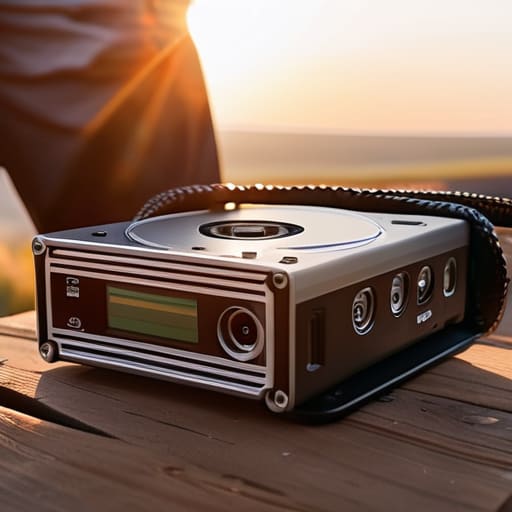
I remember a documentary shoot in the Highlands back in ’04—no, it wasn’t that long ago, but it feels like a lifetime—where I spent three days chasing a specific light through a narrow glen, only to realize the single drive I was using to offload everything was clicking like a dying insect. I sat in a damp tent, listening to that rhythmic, mechanical death rattle, knowing that every frame of that light was vanishing into a digital void. Most people will try to sell you on some high-end, cloud-synced, enterprise-grade ecosystem to solve your problems, but the truth about how to back up footage on location is much more primitive and much more stressful than a software subscription.
I’m not here to give you a gear list that costs more than your car or a lecture on theoretical data redundancy. I want to talk about the physical reality of keeping your work safe when the sun is setting and the client is breathing down your neck. I’ll show you the redundant, low-tech, and slightly paranoid workflows I use to ensure that when we finally pack up the tripod, the footage actually exists. We’re going to focus on practical survival, not expensive toys.
The High Cost of a Single Mistake How to Back Up Footage on Location
I’ve sat in the back of a van after a fourteen-hour day, staring at a drive that won’t mount, feeling a hollow kind of dread that no amount of coffee can fix. It’s not just about the lost footage; it’s the realization that a single bit of bad luck just wiped out a client’s budget, a crew’s exhaustion, and a story that might never be told again. People think they’re safe because they have a massive SSD, but hope is not a technical strategy. If you aren’t utilizing dual slot recording safety—writing to two cards simultaneously—you are essentially gambling with the production’s life.
True on-set media management isn’t about being organized; it’s about building a fortress around your data. I don’t care how expensive your sensor is if you’re handing it over to a single point of failure. You need redundant drive systems that mirror your cards immediately, preferably using a workflow that incorporates data integrity checksums to ensure what you copied is actually what you captured. I’ve seen more shoots ruined by a cheap cable or a dusty port than by a bad exposure, and those mistakes are entirely preventable if you stop treating your media like an afterthought.
Why Dual Slot Recording Safety Is Your First Line of Defense

If you’re shooting on a body that supports it, using dual slot recording safety isn’t a luxury; it’s the bare minimum of professional competence. I’ve seen too many young shooters treat their primary card like a vault, only to realize halfway through a wrap that a single bit of corruption has turned their best performance into a digital paperweight. By writing to two cards simultaneously, you aren’t just doubling your storage; you’re creating an immediate, hardware-level mirror. If one card fails or the file structure hits a snag, you have a second copy waiting to be verified.
It’s not about being paranoid, though a little paranoia keeps you in business. It’s about on-set media management that respects the time you spent setting up the light. Relying on a single slot is a gamble where the house always wins eventually. When the sun is going down and the client is breathing down your neck, you don’t want to be debugging a corrupted file; you want to be moving to the next setup, knowing your data is already sitting in two places at once.
On Set Media Management Protecting the Work Before It Leaves the Field
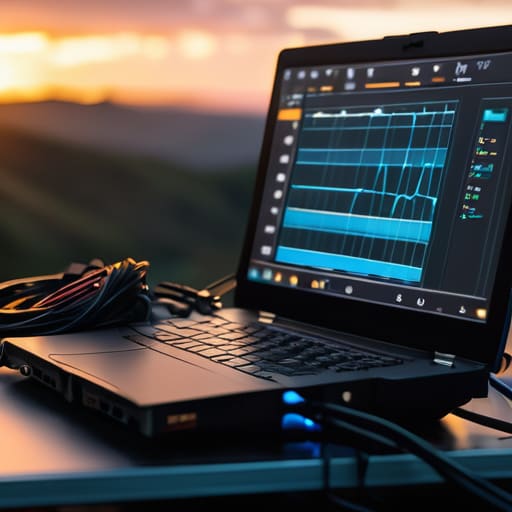
Once you’ve finished the wrap and the lights are being packed into the cases, the job isn’t actually done. Most of the disasters I’ve seen don’t happen while the camera is rolling; they happen in the chaos of the load-out. If you’re treating your media like an afterthought, you’re playing a dangerous game. Proper on-set media management means you aren’t just dumping files onto a single laptop and calling it a day. You need a workflow that assumes something is going to fail—because it eventually will.
I’ve seen guys try to save a buck by skipping a proper shuttle, only to realize three days later that their “master” drive was a glorified thumb drive that gave up the ghost. You need to be running redundant drive systems from the moment the cards come out of the camera. I’m talking about mirroring your data onto at least two separate physical drives before you even think about heading to the hotel. If you aren’t using tools that verify data integrity checksums, you aren’t actually backing up your footage; you’re just hoping for the best. And in this business, hope is a terrible way to manage a budget.
Redundant Drive Systems Building a Fortress for Your Data
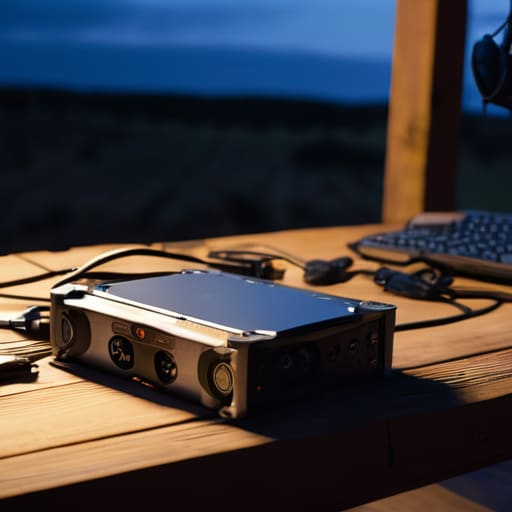
If you’re still relying on a single external drive to hold your entire day’s work, you aren’t managing data; you’re gambling. I’ve seen enough “unrecoverable errors” to know that hardware fails at the worst possible moment—usually right when you’re packing up in the rain or halfway through a long drive back to the hotel. Building redundant drive systems isn’t about being paranoid; it’s about ensuring that a mechanical failure or a dropped cable doesn’t turn a week of hard work into a ghost story.
I usually run a three-pronged approach. First, you have your primary field drives, and second, a mirrored set that stays physically separated. For larger productions where the bitrates are high enough to choke a standard USB connection, I look toward portable RAID storage solutions to give us some breathing room and speed. But the real secret isn’t just having two copies; it’s verifying them. If you aren’t using software to run data integrity checksums to ensure the copy is an exact bit-for-bit clone of the original, you’re just hoping for the best. And in this business, hope is a terrible way to manage a budget.
Portable Raid Storage Solutions Power vs Portability in the Field
When you move past simple ruggedized drives and start looking at portable RAID storage solutions, you’re essentially trading convenience for a bit of peace of mind. I’ve seen plenty of DPs try to run a full production off a single desktop RAID array, only to realize halfway through a shoot that they’re tethered to a wall outlet like they’re running a kitchen appliance. If you’re working in a location where the power is as temperamental as the weather, a RAID setup that requires a constant, heavy-duty umbilical cord is going to become a liability, not an asset.
The trade-off is always the same: you want the speed and the built-in redundancy of a RAID, but you also need to be able to throw your gear in a Pelican case and move to the next setup. If you go this route, don’t just look at the drive capacity; look at the power draw and the heat dissipation. A RAID that shuts down because it’s choking on its own thermal output in a humid tent is just an expensive paperweight. It’s about finding that slim margin where the speed of a multi-drive system meets the reality of a mobile set.
Field Recording Data Protection and the Necessity of Data Integrity Checksu
It’s one thing to copy a folder from a card to a drive; it’s another thing entirely to know that what you’re looking at is actually what you shot. I’ve seen it happen—a drive looks fine, the files play back in a quick preview, but halfway through an edit, you hit a digital hiccup that turns a beautiful close-up into a mosaic of gray blocks. That’s where data integrity checksums come in. They aren’t just a technical checkbox; they are the only way to verify that every bit of light and shadow captured by the sensor actually made it onto the platter without getting scrambled in transit.
When you’re handling field recording data protection, you have to stop trusting your eyes and start trusting the math. Using a tool that performs a verification pass—comparing the source file to the copy bit-by-bit—is the difference between a professional workflow and a prayer. It’s tedious, sure, and it adds time to your wrap, but I’d much rather spend an extra twenty minutes running a checksum than spend a week explaining to a producer why the hero shot is unwatchable.
Five ways to keep your footage from vanishing into thin air
- Treat your cards like they’re already lost. The moment a card is pulled from the slot, it should be treated as a liability, not an asset. Don’t let it sit in a pocket or a loose bag; it goes straight into a labeled case where it stays until it’s been verified against your backup.
- Get a second pair of eyes on the transfer. If you’re the one shooting, you’re too close to the work to spot a glitch. Have a DIT or even a production assistant run a second check on the files. I’ve seen too many “perfect” transfers turn out to be half-empty folders because someone rushed the copy-paste.
- Label your physical drives like your life depends on it. A pile of identical black SSDs is a recipe for disaster when you’re tired, caffeinated, and trying to pack up at 2 AM. Use a physical labeler or even a piece of gaffer tape to mark exactly what is on that drive and, more importantly, what date it covers.
- Don’t skip the checksum. I know, it takes longer. I know it feels like you’re slowing down the wrap. But if you aren’t using a tool like ShotPut Pro or Hedge to verify that the bits on the card match the bits on the drive, you aren’t actually backing up; you’re just hoping for the best. Hope is not a technical workflow.
- Keep your backups physically separated. If you have two drives, don’t keep them in the same Pelican case. If that case gets dropped, stolen, or left in a taxi, you’ve lost everything. One drive goes in the camera bag, the other goes in the production kit or a separate carry-on. Divide and conquer.
The bottom line
Stop looking for a magic piece of hardware to save you; real safety is a disciplined routine of checking checksums and moving files to a second drive before the sun goes down.
Dual slot recording isn’t a luxury or a “pro” setting—it’s the bare minimum requirement for anyone who actually cares about the work they just spent twelve hours capturing.
Don’t mistake a bigger budget for better security; whether you’re shooting on a cinema rig or a mirrorless setup, a single corrupted card can end a production, so treat your data with more respect than your glass.
The true cost of a lost take
I’ve seen more careers stalled by a corrupted SD card than by a bad lighting setup or a missed focus pull. You can spend six months chasing the perfect light and the perfect performance, but if you don’t have a redundant copy sitting in a rugged drive before you pack up the tripod, you haven’t actually finished the job—you’ve just been gambling with someone else’s money.
Gethin Moreau
The Final Check
At the end of the day, your workflow shouldn’t be a gamble. We’ve talked about dual slots, checksums, and the heavy lifting of RAID arrays, but it all boils down to one simple truth: redundancy is the only insurance policy that actually pays out. You can have the most expensive sensor in the world and the most beautiful lighting ever staged, but if you haven’t verified that data is sitting on at least two separate, physical locations before you pack the grip truck, you haven’t actually finished the job. Don’t let a single corrupted card or a dropped drive turn a successful shoot into a career-defining nightmare.
I know it’s tedious. I know there are nights when you just want to get home, get a drink, and forget about the light meter. But the difference between a professional and an amateur isn’t just how they handle a camera; it’s how they handle the responsibility of the image. Treat your data with the same respect you treat your lens glass. If you build these habits now—when the stakes feel manageable—you’ll be the one still standing when the real disasters hit. Protect the work, because once that moment is captured and lost, no amount of gear or regret can bring it back.
