I spent most of the nineties praying the light wouldn’t change before the roll was finished, because film stock actually cost something. Now, I watch kids spend three grand on a new sensor only to wonder why their images look like gray, muddy soup in post. They think they’ve unlocked “infinite dynamic range,” but they haven’t actually figured out how to log footage usefully; they’ve just figured out how to record a massive amount of digital noise. Most people treat Log like a magic safety net that allows them to be lazy with exposure, but a sensor isn’t a miracle worker—it’s just a bucket, and if you don’t know how to fill it, you’re just collecting expensive digital junk.
I’m not here to sell you a LUT or walk you through a spec sheet that reads like a sci-fi novel. My goal is to talk about the actual mechanics of the image: how to read your waveform so you don’t clip your highlights, how to manage your stops when the sun is moving, and what you actually need to give a colorist to make a scene sing. I’ll show you how to stop chasing gear and start mastering the light that’s already in the room.
The Log Myth Why Your Sensor Wont Save You
I see it every week: a kid walks onto a set with a brand-new cinema camera, eyes gleaming because the spec sheet promises twenty stops of dynamic range, and they think they’ve just bought a get-out-of-jail-free card. They treat Log like a magic eraser. They think that if they just capture enough data, they can fix a blown-out sky or a face lost in a shadow during the grade.
That’s the myth. Log isn’t a safety net; it’s just a different way of mapping the light. If you expose poorly, you aren’t “preserving data”—you’re just preserving noise and digital artifacts that no amount of color science can scrub away. I’ve seen more ruined projects from bad exposure than from mediocre sensors.
Beyond the exposure, people forget that Log footage is a massive responsibility for your post-production workflow efficiency. You aren’t just capturing a pretty picture; you’re creating a heavy, flat file that requires a disciplined approach to organizing media for video editing. If you don’t have a plan for how that footage moves from the card to the colorist, all that extra dynamic range is just expensive, unmanageable weight.
Exposure Is Everything How to Log Footage Usefully
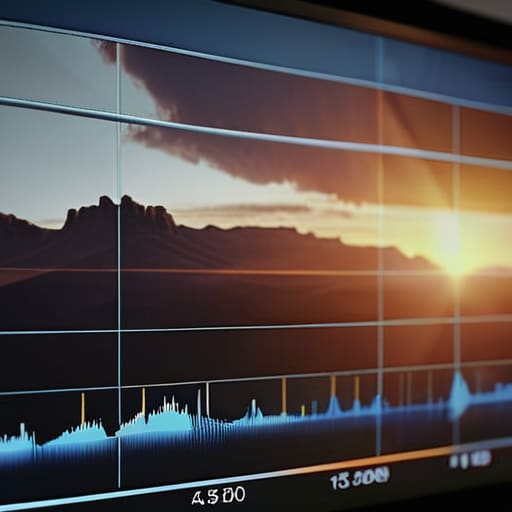
If you want to actually use that flat, grey image for something other than a headache, you have to stop treating the exposure meter like a suggestion. Most people see a Log profile and think it’s a magic safety net that allows them to underexpose everything and pray. It isn’t. To get a usable image, you need to expose for the highlights while keeping enough information in the shadows so the sensor doesn’t just turn them into a muddy, digital mess. I’ve spent more time than I’d like to admit watching a colorist struggle with footage that was “technically” shot in Log but was fundamentally underexposed and lifeless.
Once you actually get the exposure right on set, the real work shifts to how that data survives the trip to the edit suite. You aren’t just capturing light; you’re creating a massive amount of data that requires a disciplined approach to organizing media for video editing. If you aren’t thinking about your metadata or how you’re labeling these clips while you’re still in the field, you’re just creating a mountain of expensive digital debris. A clean, well-exposed Log file is only as good as the system you use to find it when the clock is ticking in post.
Metadata Tagging Best Practices to Prevent Post Production Chaos
If you think your job ends when you yell “wrap,” you’re going to have a very long, very expensive fight with an editor later. I’ve sat in edit suites where we spent three hours just hunting for a specific close-up because the DIT or the operator treated the card like a junk drawer. You can have the most beautifully exposed log footage in the world, but if it’s just a nameless sequence of files, it’s useless. Real metadata tagging best practices aren’t about being a perfectionist; they’re about survival. You need to tag your clips with scene, take, and lens data while the memory is still fresh, or don’t bother complaining when the timeline looks like a graveyard.
A decent post-production workflow efficiency starts on set, not in the suite. I’ve learned the hard way that organizing media for video editing is a discipline of foresight. Use your media management software to bake in descriptions that actually mean something—don’t just label it “Master Shot 01.” Tell me it’s “MS_Scene4_Wide_LowAngle.” When you’re creating shot lists and selects, you’re essentially building a map for the person who has to find the story in the wreckage of your rushes. If you don’t build that map, you’re just handing them a pile of digital rubble.
Organizing Media for Video Editing and Workflow Efficiency
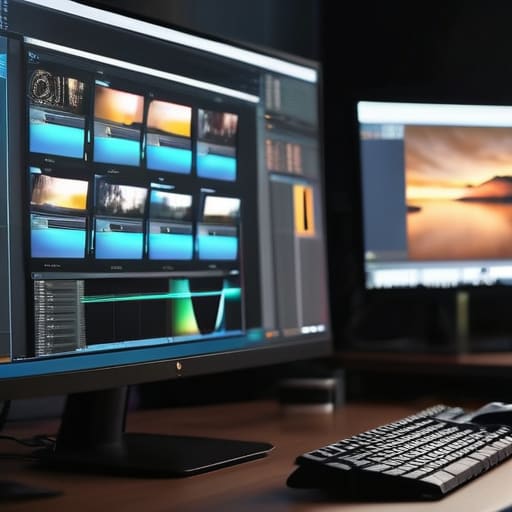
Once you’ve actually managed to expose your log footage correctly, you’re left with a mountain of grey, flat files that look like nothing until they hit the grade. This is where most productions fall apart. If your folder structure is a mess of “DSC_001” and “Clip_Final_v2,” you aren’t just being disorganized; you are actively sabotaging your post-production workflow efficiency. I’ve sat in edit suites where we spent three hours just hunting for a specific wide shot that a loader should have tagged in the field. It’s a waste of time, and time is the only thing we can’t buy more of.
The trick isn’t just about where you put the files, but how you describe them. You need to treat organizing media for video editing like a map for a stranger. Use a consistent naming convention that includes the date, the scene, and the take. When you’re creating shot lists and selects during the wrap, don’t just check a box; note the lighting conditions or the specific lens used. If you build a system that relies on a colorist or an editor having to guess what’s on the card, you’ve already lost the battle.
Digital Asset Management for Editors and Media Management Software
Once you’ve actually managed to get the footage onto a drive without corrupting the files, you hit the second wall: the editor’s sanity. I’ve sat in edit suites where the assistant was digging through three terabytes of generic folder names like “DCIM_001,” and let me tell you, that is where creativity goes to die. Effective digital asset management for editors isn’t about having the most expensive server; it’s about ensuring that when the director asks for “that shot where the light hits the window,” the editor isn’t hunting for it like a lost child in a supermarket.
This is where you stop thinking like a shooter and start thinking like a librarian. Using dedicated media management software can help, but no program can fix a disorganized brain. You need a system that bridges the gap between the set and the suite. If you aren’t building a bridge of searchable metadata and clear folder hierarchies, you aren’t just being messy—you’re actively sabotaging your post-production workflow efficiency. A well-organized project is one where the editor spends their time cutting scenes, not playing detective with your card transfers.
From Shot Lists and Selects to a Finished Grade
The bridge between a successful shoot and a finished film isn’t built in the edit suite; it’s built in the transition from the set to the drive. You can have the most beautifully exposed log footage in the world, but if your process for creating shot lists and selects is a disorganized mess of unnamed files, you’re just handing a colorist a puzzle with half the pieces missing. I’ve seen more projects die in the hand-off than in the actual filming. When you move from the field to the grade, your metadata needs to do the heavy lifting so the editor isn’t spending four hours just trying to figure out which take actually worked.
Efficiency in the grade depends entirely on how you handled the data upstream. If you’ve ignored metadata tagging best practices, the colorist will spend their time squinting at waveforms and file names instead of actually sculpting the light. A clean hand-off means they know exactly what they’re looking at—the lens used, the lighting setup, and the intended mood—without having to call you on a Sunday morning to ask. Treat your data with the same respect you treat your lighting; if the foundation is sloppy, the final image will never look professional.
Five Ways to Stop Treating Log Like a Magic Wand
- Stop chasing the dynamic range numbers on the spec sheet and start looking at your waveform. Log isn’t a license to underexpose; if you’re crushing your shadows to “save highlight detail,” you aren’t being clever, you’re just creating noise that no amount of color grading can fix.
- Use a calibrated monitor or a reliable LUT in-camera, but don’t fall in love with it. You need to see what the image is actually doing to the skin tones and the midtones, not just what a pretty preset tells you. If the monitor looks great but your exposure math is wrong, you’re flying blind.
- Get comfortable with the math of your specific sensor. Every camera brand—Sony, Canon, Arri, Blackmagic—handles the “flatness” of log differently. You need to know exactly where your ceiling is before you roll, otherwise, you’re just guessing and hoping the colorist can perform a miracle later.
- Don’t neglect your white balance just because the image looks “cinematic” and desaturated in the raw file. Log footage is notoriously unforgiving when you try to fix a botched white balance in post; get it right on set so the colorist can focus on the mood rather than fixing your mistakes.
- Treat your metadata like your life depends on it. If you’re shooting log, you’re already adding a layer of complexity to the workflow. If you don’t note down your exposure settings or the specific log profile used, you’re handing a ticking time bomb to your editor.
The Bottom Line
Stop obsessing over the sensor’s theoretical dynamic range and start focusing on your exposure plan; a perfectly exposed log file on a cheap camera will always beat a clipped, poorly lit mess on a cinema rig.
Log footage is a promise to your colorist, not a license to be lazy; if you don’t manage your metadata and organization from the moment you hit record, you’re just handing them a pile of digital junk.
Gear doesn’t fix bad coverage or poor lighting, and no amount of post-production magic can fully rescue a shot where you didn’t respect the light or the workflow.
The Exposure Trap
Stop treating Log like a magic safety net that lets you wing it in the dark; if you aren’t exposing for the highlights and understanding exactly where your sensor hits the wall, you aren’t ‘capturing dynamic range,’ you’re just filming expensive noise that no colorist on earth can fix.
Gethin Moreau
The Long Game
At the end of the day, logging isn’t some magic trick that turns a cheap sensor into an Arri Alexa; it’s just a way to preserve the information you worked so hard to capture. If you’ve managed your exposure correctly, tagged your metadata so your editor doesn’t want to throw a keyboard at you, and organized your drives with some semblance of sanity, you’ve already done more than half the people in this industry. You aren’t just collecting raw files; you are building a reliable foundation for the grade. Remember, a perfectly exposed log file is useless if it’s buried in a folder named “DCIM_001” and your metadata tells the colorist nothing about the lighting intent. Don’t let your technical workflow become the bottleneck that kills your creative vision.
I’ve spent twenty years watching people chase the newest, most expensive codecs while ignoring the fundamentals of how light actually hits a sensor. You can have the most sophisticated log profile in the world, but if you don’t have the patience to set the scene and the discipline to manage the data, you’re just spinning your wheels. My advice? Stop obsessing over the spec sheet for a moment and focus on the intent of the image. The gear will change, the formats will evolve, and the sensors will get better, but the ability to capture a clean, usable, and well-organized signal is what will actually keep you working. Master the process, and the camera will finally start doing what you want it to do.
