I remember standing in a damp, drafty warehouse in South Wales, watching a producer stare in horror at a waveform that looked like a flatline. We had spent three hours setting up a beautiful, high-contrast lighting scheme, only to have the entire take ruined because a cheap transmitter decided to lose its mind the moment a heavy steel door swung shut. People spend thousands of dollars chasing the latest digital magic, thinking that a higher price tag is a shield against physics, but they rarely stop to ask how wireless audio systems work in a real-world environment filled with concrete walls and competing signals. It isn’t about the spec sheet; it’s about understanding the invisible battle between your transmitter and the environment.
I’m not here to sell you on a new brand or walk you through a marketing brochure. My goal is to strip away the jargon and explain the actual mechanics of signal, frequency, and interference so you can stop being a victim of your gear. I’ll tell you what a better antenna can actually do, what a colorist can’t fix in post, and why patience and placement will always beat a shiny new piece of kit.
The Invisible Tether How Wireless Audio Systems Work
At its simplest, it’s just a game of catching invisible waves. You have a transmitter—usually clipped to a talent or tucked into a lavalier—that takes the sound and converts it into a signal via audio signal modulation. That signal is then pushed out into the air, hoping to find the receiver sitting in your mixer or recorder. In the old days, we dealt with analog wireless, which was a messy, fickle beast prone to hiss and static. Nowadays, most of us are working with digital wireless, which is cleaner and more reliable, but it introduces a new headache: signal latency. If the timing between the lips moving and the sound hitting the track is off by even a few milliseconds, the illusion of the performance is broken, and no amount of editing will save you.
The real battle, however, isn’t the hardware; it’s the electromagnetic spectrum audio environment you’re walking into. Every time you step onto a set, you’re competing with Wi-Fi routers, cell phones, and every other piece of wireless junk in the building. It’s a crowded, noisy room where everyone is shouting at once. If you don’t understand how to find a clean frequency, you’ll spend your entire production chasing dropouts instead of focusing on the performance.
Navigating the Electromagnetic Spectrum Audio to Find Clarity
The truth about the electromagnetic spectrum audio is that it’s a crowded, noisy room where everyone is trying to talk at once. When we talk about radio frequency transmission, we aren’t just talking about a clean line from a lav to a receiver; we are talking about fighting for a slice of airwaves that is constantly being encroached upon by Wi-Fi routers, cell phones, and the local radio station. If you aren’t actively scanning for a clean frequency before the talent walks on set, you aren’t being proactive—you’re just waiting for a failure.
I’ve seen too many beginners get caught up in the technical debate of digital vs analog wireless audio without realizing that neither can save a signal that’s being crushed by interference. Digital offers a cleaner floor, sure, but it can introduce signal latency in wireless systems that becomes a nightmare when you’re trying to sync to a high-speed shutter. At the end of the day, whether you’re dealing with a complex modulation or a simple line-of-sight issue, the solution isn’t a more expensive kit; it’s having the patience to find a frequency that isn’t already being used by someone else’s microwave.
Digital vs Analog Wireless Audio What Matters for the Cut
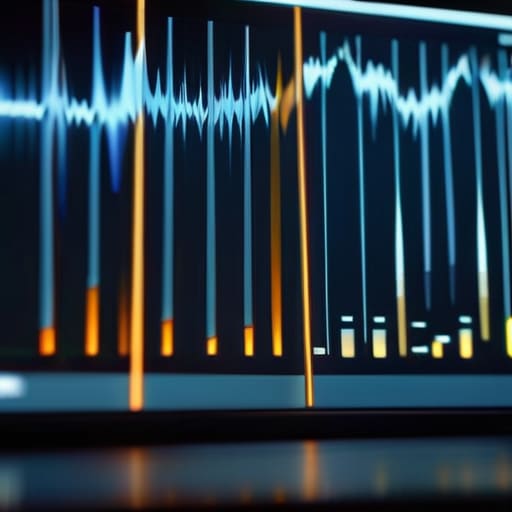
I’ve sat in enough edit suites to know that a technical debate about digital vs analog wireless audio usually ends the same way: with an editor staring at a waveform that doesn’t match the actor’s lips. In the old days, analog was the standard because it was predictable. If the signal dropped, you got static—a hiss or a crackle that you could often hear coming and potentially mask in post. It was messy, but it was honest.
Today, almost everything is digital, which means we’ve traded that gradual decay for the “cliff effect.” Digital systems use complex audio signal modulation to pack more data into the same space, giving us much cleaner sound right up until the moment the signal simply vanishes. When that happens, you aren’t left with a hiss; you’re left with a digital silence or a stuttering block of artifacts that no amount of surgical EQ can fix.
The real headache for the post-production team, however, is often signal latency in wireless systems. Digital processing takes time. If your wireless kit is adding even a few milliseconds of delay, you might find yourself fighting to sync the audio to the picture during the cut. It’s a small margin, but in a high-stakes sequence, that tiny gap is the difference between a seamless take and a distracting mistake.
The Physics of Radio Frequency Transmission and Distance
Look, you can buy the most expensive receiver on the market, but it won’t stop a concrete wall from eating your signal. At its core, radio frequency transmission is just a constant struggle against the physical environment. When we talk about distance, we aren’t just talking about meters or feet; we’re talking about how much energy is lost as that wave hits a person, a piece of metal, or a load-bearing pillar. I’ve been on sets where the talent moved three feet behind a heavy velvet curtain and suddenly the audio sounded like it was being broadcast from a submarine. It isn’t a gear failure; it’s just physics.
The real headache comes down to how that signal is shaped through audio signal modulation. Whether you are running a legacy analog system or a modern digital one, the waves have to carry the data through a crowded, messy room. If you don’t respect the line of sight or the way bodies absorb those frequencies, you’ll spend your afternoon in the middle of wireless audio troubleshooting instead of actually watching the monitors. You have to plan for the obstacles before the talent even arrives on set.
Managing Audio Signal Modulation and the Cost of Latency
When we talk about audio signal modulation, we’re really talking about how much work the system has to do to pack a sound wave into a radio carrier. In the old analog days, it was a relatively straight line—modulate the wave, send it, catch it. Now, with the digital shift, we’re essentially translating sound into data packets, shipping them through the air, and then asking a receiver to rebuild them on the fly. It’s efficient, but it isn’t free. That translation process introduces signal latency in wireless systems, a tiny, creeping delay that can feel like nothing in a solo interview but becomes a nightmare when you’re trying to sync a performer’s mouth to a high-speed movement or a complex edit.
I’ve sat in too many edit suites watching a picture editor struggle because the audio is drifting by a few frames. You can’t just “fix it in post” if the timing of the performance was fundamentally decoupled from the visual by a digital lag. If you’re working with high-end digital rigs, you need to be aware of that processing time. It’s not just about whether the signal is clear; it’s about whether the signal is actually happening in real-time.
Wireless Audio Troubleshooting When Patience Isnt Enough
When the audio starts dropping or the signal begins to jitter, your first instinct is usually to blame the gear. You think the transmitter is cheap or the receiver is faulty. But more often than not, you’re just fighting a losing battle against the environment. I’ve spent more time standing in the middle of a set, waving a receiver around like a divining rod, than I care to admit. Most wireless audio troubleshooting doesn’t require a technician; it requires you to look at what’s physically between the actor and the kit. If there’s a concrete wall, a steel beam, or a forest of Wi-Fi routers between your points of contact, you aren’t dealing with a broken device—you’re dealing with a compromised path for your radio frequency transmission.
If you’ve already cleared the physical path and you’re still hearing digital chirps or dropouts, you have to look at the congestion in the spectrum. In a modern production environment, the air is crowded. You might think you’ve found a clean pocket, but a sudden burst of interference can ruin a take faster than a bad light setup. When that happens, don’t just keep rolling and hope the audio signal modulation holds steady. Stop. Scan the frequency, find the gap, and if all else fails, go back to the old ways: get a lavalier closer or find a way to run a wire. Sometimes the best way to fix a wireless problem is to stop relying on wireless altogether.
Five ways to stop fighting your gear and start capturing sound
- Line of sight isn’t just for the camera; it’s for your signal. If there’s a concrete wall or a heavy metal door between your transmitter and your receiver, you aren’t just asking for a weak signal—you’re inviting dropouts. Treat your wireless path like a lighting setup; if the light can’t get there, the signal probably won’t either.
- Don’t trust the “auto” settings on your frequency scanner. These little boxes are clever, but they don’t know that the venue next door is running a massive Wi-Fi network or that the client brought a bunch of wireless mics for a panel. Do a manual sweep of the environment before you even power up the kit, and give yourself some breathing room in the spectrum.
- Level your gain at the source, not in the edit. I’ve seen enough footage where the audio is a thin, noisy mess because someone thought they could “fix it in post.” Set your transmitter levels so you have plenty of headroom, but don’t clip the signal. A colorist can fix a dark image, but a sound engineer can’t fix digital clipping.
- The lavalier is a physical object, not a magic wand. Where you clip it matters more than the brand of the transmitter. If it’s rubbing against a heavy polyester shirt or getting buried under a collar, you’re going to get more friction noise than actual dialogue. Spend the extra five minutes getting the placement right; it beats spending five hours in a dark room trying to EQ out a rustle.
- Always, and I mean always, have a wired fallback. Wireless is a convenience, not a guarantee. If you’re shooting something high-stakes where a single drop in audio means a wasted day, keep a boom mic on a cable or a secondary recorder running. It’s better to have a heavy cable tripping people up than to realize you’ve lost the performance because a rogue cell phone signal decided to dance on your frequency.
The bottom line: what actually matters when the red light is on
Don’t mistake a higher price tag for a better signal; a wireless system is only as reliable as your understanding of the room’s physics and the obstacles between the transmitter and the receiver.
Prioritize signal stability and latency over every other spec, because a pristine recording is useless if it’s out of sync with the image or drops out during the one take that actually mattered.
Treat wireless audio as a managed risk rather than a solved problem—always have a backup plan, keep your line of sight as clear as possible, and remember that patience and preparation will always beat a more expensive sensor or a better mic.
The myth of the magic box
People treat a wireless transmitter like a magic wand that solves the problem of distance, but it’s actually just another piece of gear you have to respect; you can buy the most expensive digital kit on the market, but if you don’t understand how a body blocks a signal or how a crowded room chokes a frequency, you’re just paying a premium to record a very expensive silence.
Gethin Moreau
The reality of the signal
At the end of the day, understanding the physics of RF, the nuances of digital modulation, and the inevitable battle with interference isn’t about becoming an engineer; it’s about knowing when to trust your gear and when to start sweating. We’ve covered the spectrum, the latency, and the way a simple wall can turn a high-end transmitter into an expensive paperweight. You can buy the most expensive wireless kit on the market, but if you don’t respect the limitations of the frequency or the way a body blocks a signal, you’re still going to end up with unusable files. Technology has made the invisible tether much more reliable than the analog days I started in, but it hasn’t removed the need for rigorous planning and constant vigilance.
My advice is simple: stop looking for the magic piece of kit that solves every problem. A better sensor might fix a dark frame, but no amount of post-production wizardry can truly resurrect a clip riddled with digital dropouts or RF interference. The best wireless setups aren’t the ones with the most features, but the ones where the operator understands the environment well enough to anticipate the failure before it happens. Focus on your blocking, watch your line of sight, and remember that the best audio is the kind you never have to think about because you did the work to ensure it stayed captured.
