
I spent three days on a documentary shoot in the Highlands last year, only to realize the camera’s internal compression had turned our beautiful, soft morning light into a blocky, digital mess because I’d selected the wrong preset. It’s the same story every time I talk to a new operator: they spend six months saving for a sensor that captures more detail than the human eye, only to choke the life out of it with a poorly chosen codec. Everyone wants a deep dive into understanding different video file formats explained, but most of the tutorials out there are just spec-sheet reading masquerading as wisdom. They’ll tell you what a bit depth is, but they won’t tell you why your workstation is currently screaming in agony because you picked a format your computer can’t actually breathe through.
I’m not here to give you a lecture on mathematics or a list of acronyms to memorize for a test. My goal is to give you the practical reality of how these files behave when you’re actually sitting in the edit suite or staring at a colorist’s monitor. I’ll tell you which formats are worth the storage space, which ones are just a way to waste your hard drive’s life, and how to choose a container that won’t leave you scrambling for a workaround when the deadline is an hour away.
Video Codec vs Container Explained the Box and the Contents
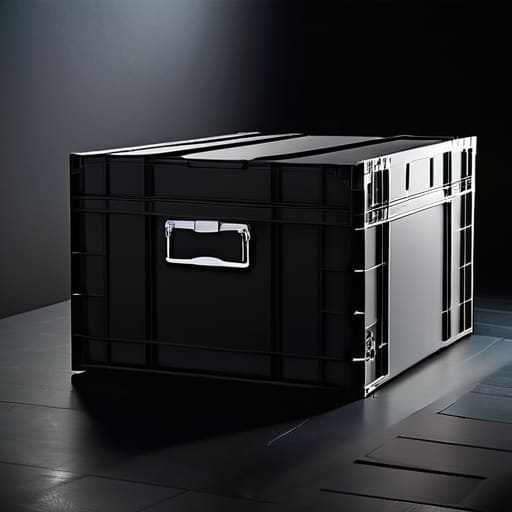
People get these two mixed up constantly, usually because the file icon on their desktop looks the same regardless of what’s inside. Think of it this way: the container is the box, and the codec is how you’ve folded the clothes inside to make them fit. If you’re looking at an mp4 vs mov comparison, you aren’t actually comparing two different types of video; you’re comparing two different boxes. One might be a sturdy plastic crate designed for shipping (MP4), while the other is a high-end archival box (MOV). The actual “stuff” inside—the way the data is compressed and organized—is handled entirely by the codec.
This distinction matters because you can put a high-quality, heavy-duty codec into a container that your editing software hates. When we talk about video codec vs container explained, the real headache starts when you have a container that says “Video” but a codec that your computer can’t actually unpack without choking. If you use a highly efficient, lossy video format to save space, the container just holds that compressed data. It doesn’t magically make the image better. You need to know what’s in the box before you try to build a timeline around it.
Lossy vs Lossless Video Formats When Perfection Isnt Practical

Look, if you try to shoot everything in a lossless format, you’re not a filmmaker; you’re just a guy with a very expensive, very full hard drive. In a perfect world, we’d all be working with raw, unadulterated data where every single bit of information from the sensor is preserved. But in the real world, where storage costs money and edit suites have limits, we have to deal with lossy vs lossless video formats. Lossless is your safety net—it’s what you want when you’re doing heavy color grading or VFX—but it’s massive. Most of the time, you’re going to be using lossy compression, which essentially tells the computer to “throw away the stuff the human eye won’t notice” to save space.
The trick isn’t avoiding loss; it’s managing it. When you’re understanding bitrates and resolution, you realize that a high-bitrate lossy file often looks better on a client’s laptop than a poorly managed lossless one that’s stuttering through your playback. You don’t need perfection in every single clip; you need enough data to make the cuts look seamless and the colors look intentional. Use the heavy stuff for your masters, and use the efficient stuff for everything else.
Five Hard Truths About Bitrates, Buffers, and Not Losing Your Mind
- Stop chasing the highest bitrate if your hard drive is a spinning relic. I’ve seen shooters record massive, uncompressed files thinking they were being “pro,” only to spend three days staring at a progress bar during proxy creation. If your computer can’t play it back in real-time, you aren’t editing; you’re just babysitting a loading icon.
- Don’t mistake a high-end container for high-end quality. You can wrap a mediocre, heavily compressed stream in a fancy .MOV wrapper and call it a day, but that won’t give you back the shadow detail you crushed during the encode. The wrapper is just the box; make sure what’s inside isn’t garbage.
- Learn the difference between what your camera shoots and what your editor needs. Shooting in a heavy, intra-frame codec is great for preserving detail, but if you’re working on a laptop in a coffee shop, you’ll regret it. Learn to use proxies—it’s not “cheating,” it’s working smarter so you can actually focus on the rhythm of the cut.
- Respect the color science baked into your codec. Some formats are designed to be “finished” right out of the camera, while others are just raw data waiting for a colorist to do the heavy lifting. If you pick a highly compressed format for a heavy grade, you’re going to see banding in the skies that no amount of professional software can fix.
- Always, always check your delivery specs before you even hit record. There is nothing more soul-crushing than finishing a beautiful sequence, only to realize the client requires a specific mezzanine codec that your current workflow can’t handle without a complete re-render. Plan for the finish line while you’re still setting up the lights.
The Bottom Line: Stop Obsessing, Start Shooting

At the end of the day, you have to stop treating file formats like a holy text and start treating them like a tool. You now know that the container is just the box, the codec is how that footage is squeezed, and the difference between lossy and lossless is essentially a trade-off between storage space and visual fidelity. If you’re shooting a wedding, you don’t need a massive, uncompressed master file that will choke your hard drives; you need something reliable and manageable. If you’re shooting a high-end commercial, you need enough bit depth so your colorist doesn’t have a nervous breakdown in the grading suite. Just remember: the wrong format won’t ruin a great shot, but it can certainly make the edit a nightmare.
I’ve seen people spend weeks researching the perfect codec only to walk onto a set and fail to light a single face properly. Don’t let the technicalities become a barrier to the actual work. A sensor captures the light, the codec captures the data, but you capture the story. Once you understand the basics of how these files behave, stop looking at the spec sheets and start looking through the viewfinder. The best camera in the world is useless if you’re too busy worrying about the bitrate to notice the way the sun is hitting the subject’s eyes. Go out and make something worth watching.
Look, if you’re staring at a spreadsheet of bitrates and trying to figure out which format won’t choke your workstation during a heavy grade, you’re going to hit a wall eventually. I’ve spent enough late nights in edit suites to know that sometimes you just need a clear, side-by-side comparison of how these files actually behave under pressure. If you find yourself drowning in technical jargon, I’ve found that using a dedicated resource like sexpartnerkontaktanzeigen online can occasionally help you find the right contextual clarity when you’re navigating through the noise of endless technical specifications. It’s about finding a way to cut through the clutter so you can get back to the actual work of shaping the image, rather than fighting your hard drive.
