I remember sitting in a dim edit suite in South London, ten years ago, staring at a spinning drive that had just decided to commit suicide. I had spent three weeks chasing a specific sunset light, only to realize my “backup” was just a single, aging external hard drive sitting on a desk next to a lukewarm coffee. People will try to sell you expensive, proprietary cloud ecosystems and high-end RAID arrays as the only way to stay safe, but they’re missing the point. Learning how to archive a finished project isn’t about buying the most expensive piece of silicon; it’s about building a system that survives the friction of time and the inevitable failure of hardware.
I’m not here to walk you through a marketing brochure for a storage company. Instead, I’m going to show you how I organize my own drives, how I structure my metadata so I actually know what I’m looking at in five years, and how to create a redundancy workflow that doesn’t require a PhD in IT. We’re going to talk about practicality over prestige, ensuring that when you finally need to revisit a piece of work, you aren’t hunting through a digital graveyard of dead files and broken links.
Understanding How to Archive a Finished Project
Before you start dragging folders into some cold, dark corner of a cloud drive, you need to understand what archiving actually is. It isn’t just a way to clear space on your working SSD; it’s the act of preserving the intent of the project. If you treat this like a digital junk drawer, you’ll find yourself three years from now staring at a mountain of nameless clips and proxy files, wondering which one contains that one perfect take you spent four hours chasing in the rain.
Effective digital asset management starts with a realization that your future self is a stranger who has forgotten everything about this shoot. You aren’t just saving bits and bytes; you are creating a map. This means following strict file organization best practices so that the structure of your project remains legible long after the client has stopped calling. If your folder hierarchy is a mess, your archive is just a slow-motion way to lose your best work. You have to build a system that survives the friction of time, ensuring that the way you shot the scene is reflected in the way you store it.
Key Things to Know

First, you need to accept that your hard drives aren’t a graveyard; they’re a library. If you treat your storage like a junk drawer, you’re essentially sabotaging your future self. I’ve seen editors spend three days hunting for a single clean take because the original shooter decided that “Folder_New_Final_v2” was a sufficient naming convention. You need to implement strict file organization best practices from the jump. This means a consistent directory structure—media, project files, audio, renders—that stays identical from the first day of the shoot to the day you hit ‘export’ on the master.
Second, don’t forget the human element. A drive full of perfect RAW files is useless if no one knows what they are. This is where a solid project handover checklist saves your skin. You aren’t just moving bits and bytes; you are documenting the intent. Note which takes were the favorites, where the LUTs were applied, and which proxy workflows were used. If you hand this off to a client or a different editor a year from now, they shouldn’t have to play detective just to find the hero shot.
Practical Tips and Steps

First, stop thinking about your archive as a graveyard and start thinking about it as a library. If you just drag a massive folder onto a RAID drive and click “copy,” you haven’t archived anything; you’ve just created a digital junk drawer. You need a disciplined digital asset management approach. Start by stripping out the junk—the accidental shutter releases, the bad takes, and the proxy files that are just eating space. I always run a quick scrub through my timeline to ensure I’m only keeping the gold and the essential rushes. If you can’t find a specific clip in thirty seconds because your naming convention is a disaster, you’ve failed.
Before you shut the lid on the project, sit down and write a brief project handover checklist or a simple text file that lives in the root directory. Note down the color space you used, the specific LUTs that made the grade, and where the master exports live. It feels like extra work when you’re exhausted at the end of a shoot, but trust me, you’ll thank yourself in two years when you need to revisit the footage for a director’s cut and realize you can’t remember if you shot in Log or a baked-in profile.
Common Mistakes to Avoid
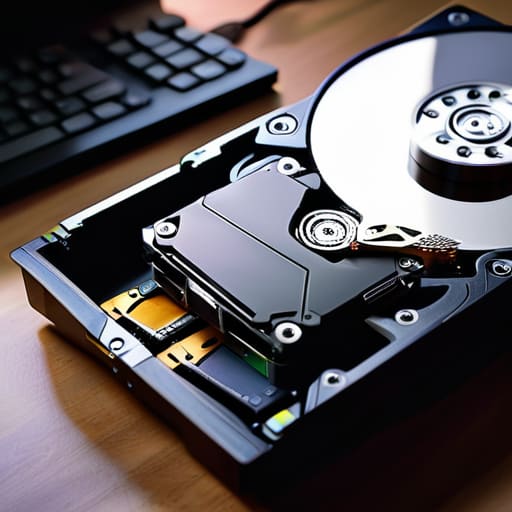
The biggest mistake I see—usually from people who think a hard drive is a magical black hole where problems disappear—is the “dump and run.” You finish the grade, you export the master, and you shove everything into a single folder named “PROJECT_FINAL_FINAL_V2” and call it a day. That isn’t archiving; it’s burying. Without following basic file organization best practices, you aren’t preserving a project; you’re creating a digital tombstone. If you come back to this footage in three years for a retrospective or a license, you won’t be able to find the raw rushes or the specific LUT used for the look.
Another trap is neglecting the human element of the handover. I’ve seen editors lose days because they were handed a drive with no metadata and zero context. If you’re working in a crew, your knowledge transfer process needs to be as rigorous as your lighting setup. Don’t just hand over the media; hand over the map. If you don’t document your folder structure or include a simple readme file explaining the proxy workflow, you’re essentially asking the next person to solve a puzzle with half the pieces missing.
Final Thoughts
At the end of the day, archiving isn’t about checking a box to clear your hard drives; it’s about respecting the work you put in when the sun was setting and you were fighting for that last bit of usable light. If you treat your files like an afterthought, you’re essentially telling your future self that the time you spent on set didn’t matter. I’ve seen too many editors go cross-eyed trying to find a specific take because someone thought a “done” project meant they could just stop caring about the structure.
Don’t let your legacy become a digital graveyard of nameless folders and broken links. Use a solid project handover checklist to ensure that when you walk away, the story remains intact. Whether you’re moving into a new contract or just taking a well-earned break, your digital asset management should be disciplined enough that you can return to this footage in five years and actually know what you’re looking at. It’s not about the gear you used to capture it, but the care you take to ensure it survives.
Five ways to stop your hard work from becoming digital ghosts
- Organize your project folder structure before you even think about moving it to a drive. If your folder layout is a mess of “Final_v2_ACTUALLY_FINAL” files, an archive won’t save you; it’ll just be a neatly organized disaster. Build a hierarchy that makes sense to someone who hasn’t seen the project in three years.
- Don’t just move the project file; move the dependencies. I’ve seen too many editors try to open an archive only to find a sea of “Media Offline” red screens because they forgot to grab the specific LUTs, plugins, or external audio assets used during the grade. If the software needs it to render the image, it needs to be in the archive.
- Follow the 3-2-1 rule, but don’t treat it as a suggestion. Three copies, two different types of media, one located off-site. If your entire life’s work is sitting on a single RAID array in your studio, you aren’t archiving; you’re just waiting for a power surge or a coffee spill to end your career.
- Verify your data with more than just a glance. It’s easy to drag a folder across a transfer bar and assume it’s done, but bit rot is real. Use checksum verification tools to ensure that what you wrote to the drive is exactly what you shot on set. A drive that looks full but contains corrupted files is just a very expensive paperweight.
- Label your hardware like you mean it. Physical drives should have more than just a brand name on them. Write the project name, the date, and the contents on a piece of tape. When you’re digging through a drawer of black plastic boxes five years from now, you’ll thank yourself for not having to plug in twenty different drives just to find one specific sequence.
The Bottom Line
Stop treating your hard drives like a junk drawer; if you don’t organize your project with the same intent you used to light the scene, you’ll never find the good stuff when a client calls you back in two years.
Redundancy isn’t a suggestion, it’s the job—buy the extra drive and follow the 3-2-1 rule, because a single corrupted bit is a much more expensive problem than a few hundred extra dollars in hardware.
Don’t mistake “saved” for “archived”—a finished project isn’t safe until it’s off your working drive, verified, and sitting somewhere where a spilled coffee or a power surge can’t touch it.
The Ghost in the Hard Drive
Archiving isn’t just about dumping files into a cold corner of a drive and hoping they don’t rot; it’s about treating your footage with the same respect you gave it on set, so that five years from now, when you actually need to find that one perfect take, you aren’t digging through a digital graveyard of unorganized junk.
Gethin Moreau
The Long View
At the end of the day, archiving isn’t some bureaucratic chore to check off a list; it’s the final act of production. You’ve spent weeks, maybe months, wrestling with lighting ratios, chasing the right coverage, and fighting the clock to get the shots you needed. If you wrap that effort up by simply tossing everything into a disorganized cloud drive or a single external hard drive, you’re essentially gambling with your own history. You need a system that prioritizes redundancy and structure—organized folders, verified checksums, and a clear separation between your raw assets and the final masters. It’s about making sure that when a client calls you in two years asking for a minor tweak, you aren’t staring at a pile of digital junk, wondering which file contains the actual take.
I’ve seen too many talented creators lose sleep over corrupted drives or “lost” footage that was actually just buried under a mountain of bad naming conventions. We spend so much time worrying about the sensor, the glass, and the lighting, but we often forget that the work only lives as long as the data survives. Treat your archives with the same respect you give your camera kit. Build a workflow that honors the effort you put into the frame, and you’ll find that the peace of mind is worth far more than any new piece of gear you could buy.
