I remember a shoot in a cramped, dimly lit basement in South London—no bounce boards, no time, and a client screaming about “cinematic look” while I was just trying to keep the exposure from falling apart. The kid operating the new mirrorless rig was obsessed with the sensor’s dynamic range, but the footage looked like a cheap soap opera because his motion was a smeared, watery mess. He didn’t realize that understanding how shutter angle works isn’t about some mathematical abstraction in a manual; it’s about how much of a single moment you’re actually willing to let the light bleed into. You can buy the most expensive sensor on the market, but if your motion cadence is wrong, you’re just capturing expensive garbage.
I’m not here to give you a lecture on trigonometry or feed you the latest gear-head nonsense. Instead, I’m going to show you how to use shutter angle to control the texture of time in your frames. We’ll talk about why your movement feels “off,” how to balance your exposure without losing your mind, and when to break the rules to get the look you actually want. No hype, no fluff—just the practical reality of how to make your footage look like it was actually filmed.
Forget the Gear Why How Shutter Angle Works Defines Your Image

I’ve spent half my life watching people stare at spec sheets, obsessing over dynamic range or whether a new sensor can squeeze an extra stop out of the shadows. They think a sharper lens or a more expensive body is the magic bullet for “the look.” It isn’t. You can wrap a $50,000 Alexa in the finest glass on the planet, but if you don’t grasp the frame rate and shutter angle relationship, you’re just capturing high-resolution garbage.
The image isn’t just a collection of pixels; it’s a record of time passing. When people ask me about cinematic motion blur explained, they aren’t asking about optics. They’re asking why their footage looks like a cheap soap opera or a frantic news broadcast. If you set your angle too narrow, you get that jarring, staccato motion effect that makes everything feel clinical and disconnected. If you get it wrong the other way, your movement turns into a smeary mess that no amount of post-production can fix. It’s about how much time the sensor spends looking at the world before it closes its eyes.
Shutter Speed vs Shutter Angle Choosing Motion Over Exposure

Most people coming from the world of photography get tripped up the moment they switch to video because they want to talk in fractions of a second. They want to dial in 1/50th or 1/100th like they’re freezing a moment in a still frame. But when you’re working with a sensor that’s actually designed for motion, you need to stop thinking about how long the shutter is open and start thinking about the percentage of the frame it occupies. This is the core of the shutter speed vs shutter angle debate. If you stick to shutter speed, every time you change your frame rate to fix a timing issue, you’re forced to recalculate your exposure from scratch just to keep the motion looking consistent.
When you switch to shutter angle, you’re finally letting the math do the heavy lifting for you. If you set a 180-degree angle, the camera handles the relationship between your frame rate and the duration of the exposure automatically. If you drop from 24fps to 60fps, the angle stays the same, and your cinematic motion blur remains constant. If you want that jittery, frantic, staccato motion effect you see in something like Saving Private Ryan, you don’t go hunting for a specific speed; you just tighten that angle down to 45 or 90 degrees. It’s about controlling the character of the movement, not just the brightness of the sensor.
The Math of Movement a Shutter Angle Exposure Calculation
Look, I know math isn’t why most of you got into this, but if you want to stop guessing, you have to understand the relationship between your frame rate and the actual time the sensor is exposed to light. When we talk about a shutter angle exposure calculation, we aren’t just picking a number for the sake of a spreadsheet; we are deciding how much of a single frame’s duration is actually “open.”
If you’re shooting at 24fps, your frame period is roughly 1/48th of a second. If you set your shutter angle to 180 degrees—the standard for that classic, naturalistic look—you are essentially telling the camera to keep the shutter open for exactly half of that frame time. That gives you a shutter speed of 1/48. If you decide to go to a 90-degree angle to get that jittery, staccato motion effect seen in war films or action sequences, you’ve just halved your exposure time to 1/96.
The math tells you that as you tighten the angle to sharpen the motion, you are simultaneously killing your light. You can’t just dial in a narrow angle and expect the same exposure you had at 180 degrees; you’re going to need more lamp, not a faster sensor.
Cinematic Motion Blur Explained Finding the Sweet Spot
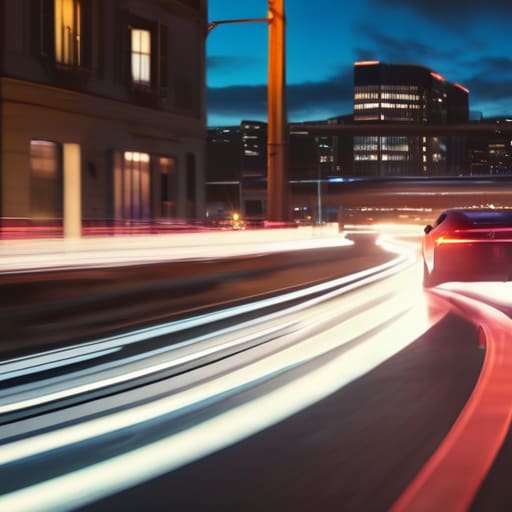
Most people think “cinematic” is a look you apply in a color grade, but it’s actually a physical property of how light hits your sensor during movement. When we talk about cinematic motion blur explained, we aren’t talking about a filter; we’re talking about the smear left behind when an object moves faster than the time the shutter is open. If you want that natural, fluid feel that mimics how the human eye perceives a passing car or a swinging hand, you’re looking for that 180-degree sweet spot. It provides enough blur to bridge the gap between frames, making the motion feel continuous rather than a series of disconnected snapshots.
If you deviate too far from that standard, the image starts to break. Crank that angle up toward 360 degrees and you’ll get a dreamy, heavy smear that can make a scene feel underwater. But if you tighten it up—say, to 45 or 90 degrees—you enter the territory of the staccato motion effect. It’s that jittery, hyper-real, aggressive look you see in everything from Saving Private Ryan to high-end car commercials. It’s a tool, not a mistake, but if you use it without a specific narrative reason, you’re just making your footage look broken.
The Frame Rate and Shutter Angle Relationship You Must Master
This is where most people trip up. They treat frame rate and shutter angle like two separate dials on a dashboard, but in reality, they are tethered together by a very short leash. If you change your frame rate to achieve a slow-motion look without adjusting your angle, you aren’t just changing the speed of the action; you are fundamentally altering the amount of light hitting your sensor and the texture of the movement itself.
When you’re working in slow motion, say 60fps, and you keep that standard 180-degree angle, your shutter speed is much faster than it would be at 24fps. This means you’re letting in less light, which might force you to crank your ISO and introduce noise you didn’t want. More importantly, you’re playing with the frame rate and shutter angle relationship in a way that can either make the movement feel dreamily smooth or, if you get it wrong, give you that jarring, staccato motion effect that looks like a cheap news broadcast. You have to decide if you want the motion to feel heavy and natural, or sharp and clinical, before you even touch the record button.
Avoiding the Staccato Motion Effect and Rolling Shutter Distortions
If you’ve ever watched a sequence that felt jittery, like a frantic news broadcast or a low-budget music video, you’ve likely run into the staccato motion effect. This happens when your shutter angle is too narrow—usually when someone tries to get that “Saving Private Ryan” look but forgets that it requires a specific intent. When the shutter is open for too short a time, you strip away the natural blur that our eyes expect, leaving you with movement that feels broken and aggressive rather than visceral. It’s a common mistake to think a faster shutter always equals “sharper” action, but in reality, you’re just making the footage harder to watch.
Then there’s the technical headache of the sensor itself. If you’re shooting on a CMOS sensor with a wide shutter angle, you have to contend with rolling shutter vs global shutter issues. Because most modern digital sensors scan the image line-by-line rather than all at once, fast movement or quick pans can cause your straight lines to tilt or “jello.” It’s a frustrating way to lose a good take. I’ve spent more time in post trying to fix skewed architecture than I care to admit, simply because the shutter wasn’t managed correctly on set.
Five Ways to Stop Fighting Your Camera and Start Controlling the Motion
- Stop treating shutter angle like a math problem and start treating it like a light problem. If you decide to tighten your angle to get that crisp, frantic action look, you aren’t just changing the blur; you are physically cutting the amount of light hitting your sensor. If you don’t have the extra stops of light ready to go, you’ll end up chasing noise, and no amount of post-production magic is going to fix a grainy mess.
- Respect the 180-degree rule, but don’t treat it like a religious commandment. It’s the baseline for a reason—it’s what our eyes expect. Use it as your home base, and only deviate when the story demands it. If you’re shooting a high-octane chase, maybe go tighter. If you’re shooting a dream sequence, maybe go wider. Just don’t do it because you think it looks “pro.”
- Lock your shutter angle before you even think about your aperture. I’ve seen too many operators fix their exposure first, only to realize halfway through the scene that their motion blur looks like a slideshow. Decide how you want the movement to feel—smooth, jittery, or natural—set that angle, and then adjust your iris to compensate for the light.
- Watch your frame rate like a hawk. I can’t tell you how many times I’ve seen a junior DP get confused because they changed the frame rate for a slow-motion shot but forgot that their shutter angle was now letting in a completely different amount of light. When the frame rate moves, the math moves with it. Keep your head on straight.
- Don’t blame the sensor for “staccato” motion. If your footage looks like it was shot on a security camera from 1998, it’s likely because your shutter angle is too narrow. Before you go out and buy a new camera with a supposedly “better” sensor, check your settings. Most of the time, you don’t need a new tool; you just need to open the shutter a little wider.
The Bottom Line
Stop treating shutter angle like a math problem and start treating it like a texture choice; your decision dictates whether a scene feels like a fluid dream or a frantic, jagged memory.
Remember that shutter angle is a two-for-one deal—it controls your motion blur and your exposure simultaneously, so if you tighten the angle to get that crisp, action-heavy look, you better be prepared to bring more light into the room.
Don’t let your gear dictate your aesthetic; a high-end sensor won’t save you from a visual style that feels disconnected because you ignored the fundamental relationship between frame rate and how much of the shutter is actually open.
The Exposure Trap
Stop treating your shutter like a light meter. If you change your shutter angle just to fix a dark frame, you aren’t “exposing” the shot—you’re redesigning the way time moves in your image, and usually in a way that looks amateur. Get your lights right first; then, and only then, do you decide how much blur you can afford to lose.
Gethin Moreau
Stop Chasing Specs and Start Seeing Motion
At the end of the day, mastering shutter angle isn’t about memorizing formulas or staring at a spec sheet; it’s about understanding the relationship between time and light. We’ve covered how the angle dictates your motion blur, how it interacts with your frame rate, and why treating shutter speed as a mere exposure tool is a rookie mistake. If you get the angle wrong, no amount of high-end glass or post-production magic is going to fix that jittery, staccato mess or that nauseatingly smeary motion. You have to decide, before you even hit record, whether you want the scene to feel like a fluid dream or a sharp, visceral punch to the gut.
I know the temptation is to go out and buy a new sensor because your footage looks “off,” but I promise you, the answer is rarely in the bank account. It’s in the way you approach the set and the way you respect the physics of the frame. Stop worrying about what the camera can do and start focusing on what the image needs to say. Use the shutter to dictate the energy of your story, not just to balance your exposure. Once you stop treating your camera like a computer and start treating it like a tool for capturing time, you’ll finally start making actual cinema.
