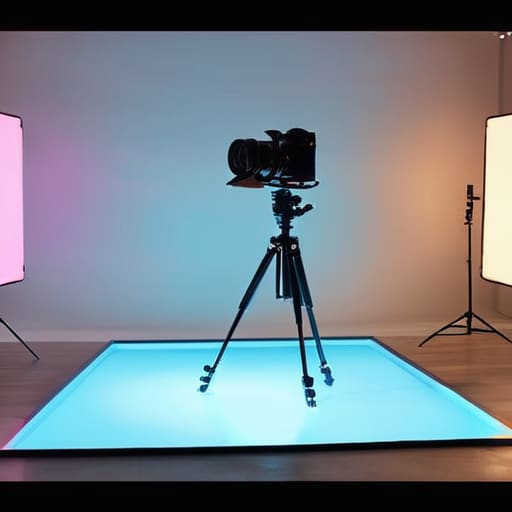
I spent three hours last Tuesday listening to a kid in a studio apartment explain why he needed a $5,000 cinema prime lens to make his vertical clips “pop” on Reels. It’s the same old song: people think they can buy their way out of a fundamental lack of understanding regarding aspect ratios and eye lines. They treat how to shoot for a specific platform like it’s a gear problem, when in reality, it’s a geometry problem. If you’re framing a wide cinematic master shot and then trying to crop it into a 9:16 vertical frame in post, you haven’t “adapted”—you’ve just failed to plan for the inevitable.
I’m not here to sell you a subscription to a plugin or a new sensor. My goal is to strip away the technical noise and talk about what actually matters: where you place your subject in the frame, how much headroom you’re wasting, and how much patience you need to allow for the crop. I’m going to show you how to compose your shots so they survive the transition from a landscape monitor to a handheld phone, ensuring your coverage actually works instead of just looking like a poorly cropped accident.
The Illusion of Scale How to Shoot for a Specific Platform
The biggest mistake I see lately is people shooting a wide, cinematic 2.39:1 master and then acting surprised when their TikTok edit looks like a thin, useless strip of nothing in the middle of the screen. They think they’re being “efficient” by shooting once and cropping later, but they’re actually just sabotaging their own composition. When you’re thinking about framing for mobile viewing, you have to stop treating the edges of your sensor like they exist. If your subject is tucked into a corner to satisfy some sense of “cinematic” scale, you’ve already lost the battle.
You need to build your coverage around the verticality of the phone. This isn’t just about changing your aspect ratio; it’s about how you position the light and the talent relative to that narrow center column. I’ve seen more ruined projects from poor social media video optimization—specifically, bad headroom and wasted space—than from actual camera failure. If you aren’t leaving enough room in the center for the UI elements to sit without covering a face, you aren’t really directing; you’re just recording.
Framing for Mobile Viewing Respecting the Vertical Limit
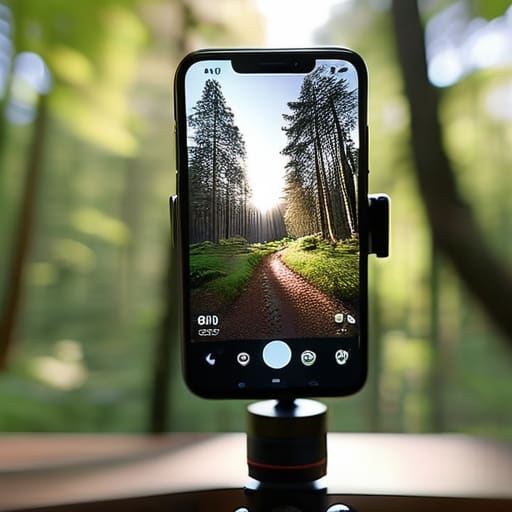
Most people approach vertical video by simply turning their camera ninety degrees and hoping for the best. That’s a mistake. When you’re focusing on framing for mobile viewing, you aren’t just rotating a landscape image; you are fundamentally changing the geometry of the scene. In a standard 16:9 setup, I have the luxury of using the periphery to tell a story—a character on the left, a window on the right. In a vertical frame, that space vanishes. You lose your wings. If you keep your subjects too close to the edges, the UI elements—the captions, the like buttons, the scrolling text—will swallow them whole.
Instead of trying to cram a wide master into a skinny frame, you need to rethink your blocking. Think about depth rather than width. I’ve found that layering your subject against a receding background works far better for content creation for TikTok and Reels than trying to capture a sprawling landscape that ends up looking like a narrow hallway. Don’t just shoot more; shoot smarter. If you can’t find the depth in the vertical, you aren’t looking at the light properly.
Aspect Ratios and the Art of Not Losing the Scene
We used to talk about aspect ratios in terms of theatrical prestige—the sweeping 2.39:1 anamorphic look that made everything feel expensive. Now, the conversation has shifted from the grandeur of the wide screen to the claustrophobia of the vertical frame. If you’re shooting a single master shot and hoping to satisfy both a YouTube viewer and someone scrolling through Reels, you’re asking for trouble. You can’t just crop a horizontal image in post and expect the story to hold up; you’ll end up with a headless subject or a composition that feels accidentally tight.
The trick isn’t in the software; it’s in the blocking and the headroom. When I’m setting up for content creation for TikTok and Reels, I’m thinking about the “safe zones” long before I even hit record. I tell my operators to keep the action centered and leave enough breathing room around the edges so that when the platform overlays its UI—the usernames, the captions, the like buttons—it doesn’t swallow the subject whole. Optimizing content for different aspect ratios starts with leaving more space than you think you need. It’s about intentionality, not just cropping.
Social Media Video Optimization Light Distance and Intent
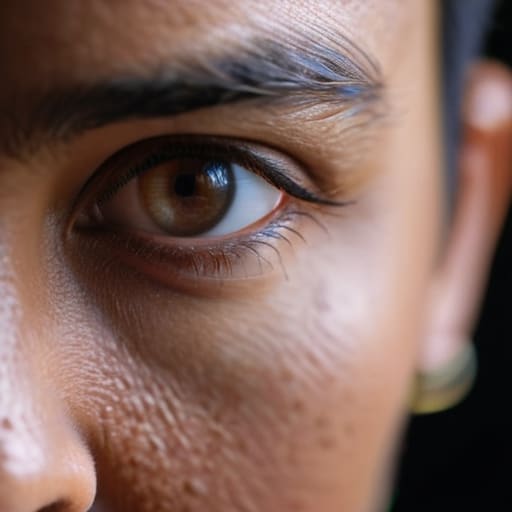
The mistake I see most often during content creation for TikTok and Reels isn’t a lack of resolution; it’s a lack of spatial awareness. People treat a vertical phone like a miniature cinema screen, forgetting that the viewer is usually holding that screen six inches from their face, often while walking or distracted. If your light is coming from a harsh, high angle, you aren’t just creating shadows—you’re creating distractions that get magnified on a small display. You need to pull the subject closer and soften that light. When you’re working with such tight margins, distance is your most important variable. If you don’t leave enough breathing room around the eyes, you’ve lost the performance before the first cut.
This isn’t just about framing; it’s about intent. When you’re thinking about social media video optimization, stop asking what resolution you need and start asking what the eye is actually looking for in a thumb-stopping moment. A 4K sensor won’t save a shot where the subject is lost in a sea of cluttered background. You have to curate the space. I tell my assistants the same thing I tell my students: control the light, manage the distance, and stop overcomplicating the gear. If the light is right and the subject is centered, the platform will do the rest.
Content Creation for Tiktok and Reels Where the Camera Lives
When you’re doing content creation for TikTok and Reels, you have to stop thinking like a cinematographer and start thinking like a person standing in a crowded room. On a cinema screen, we use negative space to let a character breathe; on a phone, that same negative space just looks like a mistake. You need to move the camera closer. I’m talking about getting into the subject’s personal bubble—closer than you’d ever dare on a feature set. If you aren’t tight enough on the eyes, you’ve already lost them.
The real trick to short-form video production tips isn’t a fancy gimbal or a 4K sensor; it’s managing your visual density. Because the screen is small, every element in the frame has to earn its keep. If there’s a distracting lamp in the background or a messy shadow cutting across a face, it’s not just a minor flaw—it’s a reason for someone to swipe up. Don’t obsess over the highest video resolution for social media if your lighting is flat and your subject is five feet too far away. Keep the light on the eyes, keep the subject central, and keep the movement intentional.
Video Resolution for Social Media Beyond the Gear Fetish
I see it every week: someone spends six months saving for a cinema camera with a massive sensor, only to upload a file so heavy and poorly encoded that the platform’s compression turns it into a smear of digital mud. We’ve fallen into this trap of thinking that more megapixels equals more impact. In the world of video resolution for social media, the math is actually much simpler and far less glamorous. You aren’t shooting for a 4K theater screen; you’re shooting for a five-inch glass slab held in a thumb.
If you’re doing content creation for TikTok and Reels, stop obsessing over whether you’re shooting in 4K or 1080p and start looking at your bitrate and your delivery. A clean 1080p file with proper exposure will always look better on a phone than a “high-res” 4K file that gets butchered by an algorithm trying to squeeze it through a narrow pipe. Don’t let the gear fetish blind you to the reality of the delivery. If the light is good and your focus is sharp, the platform will do the rest.
Five Ways to Stop Fighting Your Format
- Leave yourself room to breathe in the frame. If you’re shooting for a vertical crop but using a wide lens, don’t hug the subject so tight that a single step backward ruins the shot. I’ve seen too many beginners trap themselves in a tight medium shot that works for YouTube but becomes a useless, claustrophobic mess once you try to center it for a Reel. Keep your subjects slightly more central than you think you need to, and give yourself enough “safety” around the edges to let the editor move the frame around without cutting off a forehead or a chin.
- Prioritize the light that hits the eyes, not the sensor’s dynamic range. Whether you’re shooting for a cinema screen or a five-inch smartphone, if the eyes are muddy, the shot is dead. On social platforms, people are often watching in suboptimal lighting—on a bus, in a bright park, or in a dark bedroom. Don’t rely on a high-end sensor to pull detail out of the shadows; bring a small LED or find a window. If the light is good, the platform won’t matter.
- Think about the “thumb-stop” distance. On a desktop, we look at the whole frame; on a phone, we look at the subject. If you’re shooting for TikTok, your blocking needs to be more intimate. You can’t rely on subtle background details to tell the story if the viewer is scrolling past you at light speed. Get closer, make the movement more intentional, and ensure the subject’s presence fills the small screen immediately.
- Sound is half the image, even if the platform treats it like an afterthought. I’ve seen beautiful, color-graded footage ruined because the audio sounded like it was recorded inside a tin can. If you’re shooting for platforms where people use earbuds, your audio needs to be clean and directional. If you’re shooting for places where people watch on mute, your visual storytelling—the blocking and the eye contact—has to be strong enough to carry the narrative without a single word.
- Stop obsessing over 4K if you don’t have the light to support it. I see kids buying the latest flagship cameras just to shoot social content in a dark room, and the result is a grainy, noisy disaster that looks amateur regardless of the resolution. A clean 1080p image shot with decent lighting will always look more “professional” on a smartphone than a noisy, over-sharpened 4K file. Focus on the exposure first; the bitrate can only do so much.
The Bottom Line
Stop obsessing over the sensor and start obsessing over the frame; if you don’t leave enough room in your composition to account for a vertical crop, no amount of 8K resolution will save your shot.
Light and distance will always beat gear—a well-placed practical lamp and a thoughtful lens choice matter more for a smartphone screen than the most expensive cinema camera you can’t afford to light properly.
Plan for the cut, not just the clip; shoot with enough coverage and intentionality so that when the platform demands a specific aspect ratio, you aren’t left with a headless subject and a ruined scene.
The Delivery Trap
Stop treating your camera like it’s the destination. If you’re shooting a master shot that’s so tight you can’t crop for a vertical frame without losing the actor’s eyes, you haven’t shot a scene—you’ve shot a mistake. The platform isn’t a technical hurdle to clear after the fact; it’s the reason you need to widen your lens and rethink your blocking before you even hit record.
Gethin Moreau
The View from the Monitor
At the end of the day, whether you are composing for a vertical phone screen or a wide cinematic frame, the principles don’t shift; only the boundaries do. You have to account for the crop, respect the physical distance of the viewer, and understand that a sensor’s resolution is useless if your compositional intent is lost in the margins. Stop looking for a magic camera that solves your delivery problems. Instead, focus on how the light hits the subject within the specific constraints of your platform, ensuring you leave enough room to breathe so that your edit doesn’t feel like it’s suffocating in a box.
I’ve spent decades watching technology evolve from heavy film mags to tiny, high-bitrate sensors that fit in a pocket, and the truth remains the same: the platform is just a window. Don’t let the window dictate the soul of the image. If you understand your light, your blocking, and your purpose for filming, you can make something beautiful on a smartphone or a Panavision rig. Use the gear to serve the story, not the other way around, and remember that the most important part of the frame is always the part that makes the audience feel something.
