I once spent four hours in a humid rental house in Bogotá, staring at a sensor that had a speck of dust right in the middle of a high-contrast sky, all because some kid on a freelance gig thought a pressurized air can was a substitute for actual care. People spend thousands on the latest magnesium-alloy bodies only to treat them like they’re indestructible, chasing every YouTube tutorial that claims you need a laboratory-grade cleaning kit to stay professional. The truth is, most of the “expert” advice out there is just noise designed to sell you more plastic; what you actually need is a complete guide to gear maintenance that focuses on the things that actually fail when the sun goes down and the pressure is on.
I’m not here to sell you a specialized cleaning solution or a subscription to a maintenance app. I’m going to tell you how to look at your kit so you don’t get blindsided by a failing cable or a grit-filled zoom rocker when you’re already on the clock. We’ll talk about what’s worth your time, what’s a waste of a paycheck, and how to ensure your tools are ready for the light, the distance, and the long wait.
The Real Cost of Neglect a Complete Guide to Gear Maintenance
I’ve seen enough productions stall because a jammed zoom rocker or a corrupted card reader turned a twenty-minute setup into a two-hour nightmare. Most people think maintenance is about avoiding a total breakdown, but it’s actually about avoiding the anxiety of not knowing if your tools will show up for work. When you’re staring down a client who is already paying by the hour, the last thing you need is a sensor speck that looks like a galaxy or a battery that dies ten minutes into a sunset sequence.
You don’t need a laboratory, but you do need a routine inspection checklist that you actually follow. This isn’t just about wiping down bodies; it’s about checking the integrity of your cables, ensuring your tripod heads aren’t gritty, and staying on top of software and firmware updates before you’re on a remote set with no Wi-Fi. It’s the small, boring stuff—the preventative maintenance—that separates the professionals from the hobbyists. If you wait until the gear fails to care for it, you’ve already lost the day.
Protecting Technical Equipment From the Dust and the Distance
You don’t need a lab coat to protect your kit, but you do need to respect the environment you’re working in. I’ve spent more time in dusty locations than I care to admit, and the biggest mistake I see is people treating their bags like lockers. If you leave your camera sitting in a humid van or a sandy field bag, you aren’t just risking a scratch; you’re inviting rot. Protecting technical equipment starts with how you pack it away. Use the right cases, keep your silica gel packets fresh, and for heaven’s sake, stop using your shirt to wipe a lens. If you aren’t using dedicated gear cleaning supplies, you’re just moving grit around until it finds its way into the barrel.
Beyond the physical grime, there is the invisible stuff. I always keep a simple routine inspection checklist taped to the inside of my flight case. It’s not about being obsessive; it’s about catching a loose XLR port or a fraying cable before you’re three hours into a shoot with no way to fix it. This includes the boring stuff, like checking your software and firmware updates before you hit the road. There is nothing quite as soul-crushing as arriving on a remote set only to realize your media card won’t talk to your monitor because of a patch you ignored.
The Essential Gear Cleaning Supplies That Actually Matter
You don’t need a chemistry lab or a kit that costs more than your first rental rig. Most of the specialized “sensor cleaning kits” sold online are just expensive ways to scratch something you can’t afford to replace. If you’re looking for actual gear cleaning supplies that do the job, start with high-quality microfibers and a decent blower. I’ve spent more time squinting at a sensor because someone used a cheap cloth than I have actually filming, so buy the good stuff. A rocket blower is your best friend; it gets the grit off without you having to touch the glass and risk a permanent mark.
Beyond the physical scrubbing, part of a real preventative maintenance schedule involves the stuff you can’t touch. I’m talking about your data integrity and your system stability. Don’t ignore your software and firmware updates; a glitchy menu or a corrupted write process during a high-stakes interview is just as much a failure of maintenance as a dusty lens. Keep your drives organized and your firmware current. It’s not glamorous, but it’s the difference between a day of work and a day of troubleshooting.
A Preventative Maintenance Schedule for the Patient Filmmaker
I don’t believe in doing things all at once. If you wait until a production wraps to decide your gear needs attention, you’ve already lost. A proper preventative maintenance schedule isn’t about spending your weekends scrubbing glass; it’s about integrating small, mindless checks into the rhythm of your work. I make it a habit to run a routine inspection checklist every time I pack a kit. It’s the small stuff—checking the tension on a tripod head, ensuring the battery latches aren’t getting gummy, or making sure the cables aren’t developing those little kinks that signal an imminent break.
Once the physical stuff is sorted, you have to deal with the invisible side of the work. I set aside one morning a month to handle software and firmware updates. It’s tedious, and I know half of you will skip it until a camera freezes during a crucial take, but it matters. You don’t want to be troubleshooting a codec issue or a menu glitch when the light is finally hitting the subject exactly where you need it. Do the work when you have nothing but time, so you aren’t begging for luck when you’re on the clock.
The Routine Inspection Checklist Before the Light Fails
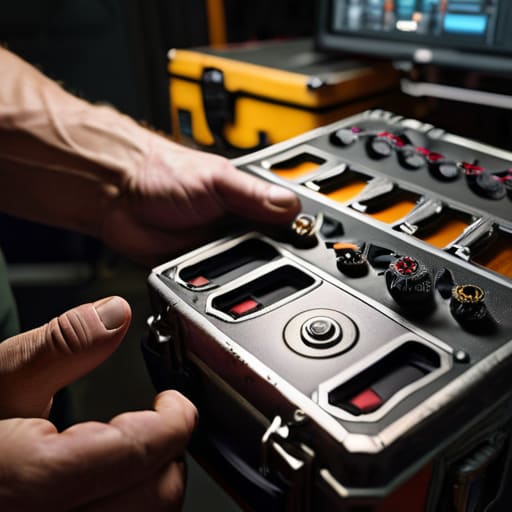
When the sun is dropping and the client is breathing down your neck about the golden hour, the last thing you want to find is a loose tripod leg or a mounting plate that won’t bite. This isn’t about a deep dive; it’s a routine inspection checklist you run through while you’re still in the truck or setting up the first light. I’m talking about the tactile stuff: checking that your battery latches actually click, ensuring your media cards aren’t showing signs of physical wear, and verifying that your cables aren’t starting to fray at the strain relief. If a connection feels soft, it’s going to fail when the pressure is on.
Beyond the hardware, don’t ignore the digital side of things. I’ve seen too many shoots grind to a halt because someone forgot to check their software and firmware updates before leaving the hotel. It sounds tedious, but a camera that decides to reboot mid-take because of a buggy update is a nightmare no amount of talent can fix. Check your sensor for dust one last time, verify your playback, and make sure your files are actually writing. It’s about being ready for the light, not just being present when it arrives.
Software and Firmware Updates the Invisible Equipment Longevity Tips
We spend so much time obsessing over sensor dust and lens coatings that we tend to ignore the code running the show. But here’s the reality: your camera isn’t just a box of glass and metal anymore; it’s a computer that happens to capture light. Neglecting software and firmware updates is a quiet way to sabotage your workflow. I’ve seen more shoots derailed by a buggy codec or a sudden battery drain issue than by a smudge on a lens. These updates aren’t just about adding new fancy LUTs or a slightly better autofocus algorithm; they are often critical patches that ensure your hardware behaves when the pressure is on.
Think of it as a digital version of a routine inspection checklist. You don’t need to hunt for updates every Tuesday, but before you head out on a multi-day shoot, you need to know your gear is stable. I make it a habit to check for manufacturer patches a week before a production starts. It’s about predictability. You want to know that when you hit record, the machine does exactly what it’s told, without a sudden kernel panic because you were running 2019 stability on 2024 hardware.
Five Hard Truths About Keeping Your Kit From Failing You
- Stop treating your sensor like it’s invincible. You don’t need a laboratory-grade clean room, but if you’re seeing spots in your highlights, you’ve already waited too long to address the dust. A single speck of grit during a high-stakes interview is a headache no amount of post-production magic can fully erase.
- Check your cables before you check your settings. I’ve seen more shoots derailed by a frayed XLR or a loose HDMI connection than by actual camera failure. If a cable feels limp or the housing is cracking, toss it. It’s cheaper to replace a cable today than to troubleshoot a signal drop mid-take when the sun is already hitting your mark.
- Respect the humidity, even if you aren’t in a jungle. If you’ve been shooting in a damp environment or a cold studio, don’t just pull your glass out of the bag and start shooting. Let the gear acclimate to the room temperature slowly. If you rush it, you’ll spend the first hour of your shoot fighting condensation inside the lens elements.
- The battery is more than just a power source; it’s a ticking clock. If a battery looks even slightly swollen, or if the contacts look corroded, it’s dead to me. Don’t trust a finicky charger either. If it’s taking twice as long as it should, it’s going to fail you when you’re deep into a long-form sequence and the light is finally perfect.
- Tighten your screws, but don’t marry them. Check your tripod heads, your matte box, and your follow focus regularly to ensure nothing is rattling. But for God’s sake, don’t over-torque everything. You aren’t building a bridge; you’re operating precision instruments. If you strip a screw because you were being “thorough,” you’ve just turned a piece of kit into a paperweight.
The Bottom Line
Maintenance isn’t about preserving resale value; it’s about making sure your gear doesn’t die in the middle of a shot when the light is perfect and the talent is actually cooperating.
Stop looking for the most expensive cleaning kit on the market and start focusing on the basics—dust control, sensor cleanliness, and making sure your cables aren’t one tug away from a short.
A well-maintained kit is a quiet kit; when you aren’t fighting your equipment, you can actually spend your time thinking about the blocking and the light.
The Myth of the Magic Sensor
You can spend six months saving for a sensor with the highest dynamic range on the market, but if you haven’t learned how to blow a speck of dust off your glass or check your cables before the sun goes down, you aren’t a cinematographer—you’re just an expensive way to capture a bad image.
Gethin Moreau
The Long Game
At the end of the day, maintenance isn’t about hoarding expensive cleaning kits or obsessing over every microscopic speck on a sensor; it’s about respect for the tools that allow you to capture a moment before it vanishes. We’ve talked about everything from the physical battle against dust and moisture to the invisible necessity of firmware updates and scheduled inspections. If you take care of the basics—keeping your glass clean, your batteries cycled, and your cables untangled—you stop worrying about whether your gear will fail and start focusing on where the light is coming from. A well-maintained kit is a quiet one, and in this business, the last thing you want is your equipment making noise when the scene is finally ready.
I’ve seen productions fall apart because of a faulty connection, and I’ve seen breathtaking images captured on gear that looked like it had been dragged through a hedge. The difference is that the person with the better images knew their tools well enough to trust them when the pressure was on. Don’t let the pursuit of the perfect sensor distract you from the reality of the work. Invest your time in the routine, embrace the patience required to do things right, and remember that the most important piece of equipment you own is your ability to see. Everything else is just something you have to keep ready for the light.
