
I remember sitting in a windowless edit suite in South London, staring at a sequence of shots that looked technically perfect but felt like absolute nothing. I had the highest resolution, the sharpest lenses, and enough coverage to satisfy a studio executive, yet the rhythm was dead on arrival. People tend to treat montage like it’s some magical mathematical formula you can solve with a faster processor or a fancy plugin, but that’s a lie. Understanding how montage works isn’t about the transition itself; it’s about the invisible connective tissue between the moments you actually chose to film. If you haven’t thought about the emotional beat during the setup, no amount of clever cutting is going to save you in post.
I’m not here to sell you on a new software suite or a specific editing style that’s trending on social media this week. Instead, I want to talk about the grit of it: how you light for the cut, how you block for the rhythm, and why patience is your most valuable piece of kit. I’ll show you how to stop chasing flashy transitions and start building sequences that actually move a story forward, using nothing more than what you already have in your kit bag.
Understanding How Montage Works
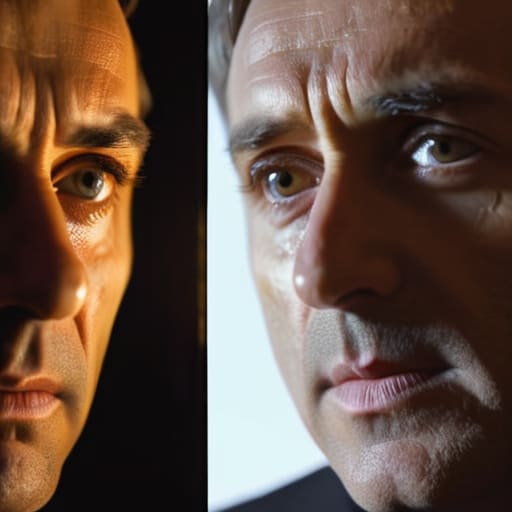
At its core, montage isn’t some magical trick you apply in post; it’s the way you manipulate the viewer’s brain by placing two unrelated images side-by-side. You’ve heard of the Kuleshov effect, and it’s the most practical lesson any DP or editor can learn. It’s the realization that a shot of a man’s neutral face followed by a shot of a bowl of soup creates a completely different emotional reality than that same face followed by a coffin. The meaning doesn’t live in the individual clips—it lives in the gap between them.
When we talk about visual storytelling through montage, we aren’t just talking about a fast-paced sequence of clips set to music. We’re talking about how you use juxtaposition to build a thought. If I shoot a close-up of a character’s trembling hand and then cut to a wide shot of a massive, empty hallway, I’ve told you they’re lonely or terrified without a single line of dialogue. You have to plan this during the shoot. If you don’t capture the right coverage to allow for that specific rhythmic connection, no amount of fancy software is going to fix a lack of intent.
Key Things to Know
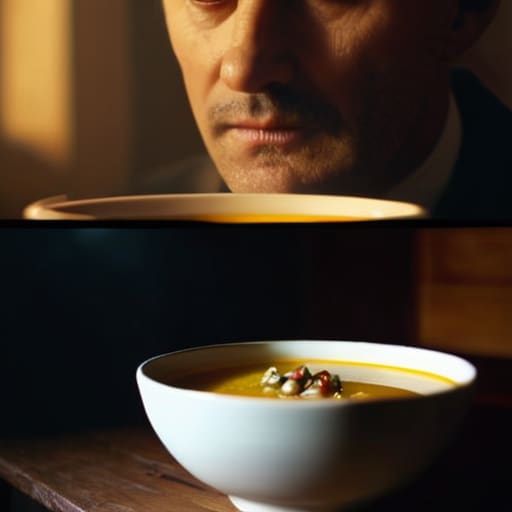
If you want to get this right, you have to stop thinking about shots as individual trophies and start thinking about them as pieces of a puzzle. The most important thing to grasp is the Kuleshov effect, which is essentially the foundation of why we bother cutting at all. It’s the realization that a viewer doesn’t just see what’s on screen; they project meaning onto it based on what came right before. You could show a man looking blankly into space, then cut to a bowl of soup, and the audience sees hunger. Cut to a coffin, and suddenly he’s grieving. The emotion isn’t in the actor’s face; it’s in the gap between the frames.
That brings me to the concept of juxtaposition in film. It’s not about fancy transitions or digital wipes; it’s about the friction created when two disparate images collide. When you place a shot of a politician speaking next to a shot of a factory chimney belching smoke, you’ve made a political statement without a single line of dialogue. That’s the real work. It’s about how you arrange the sequence to force the audience to draw their own conclusions, rather than just handing them a finished thought on a silver platter.
Practical Tips and Steps
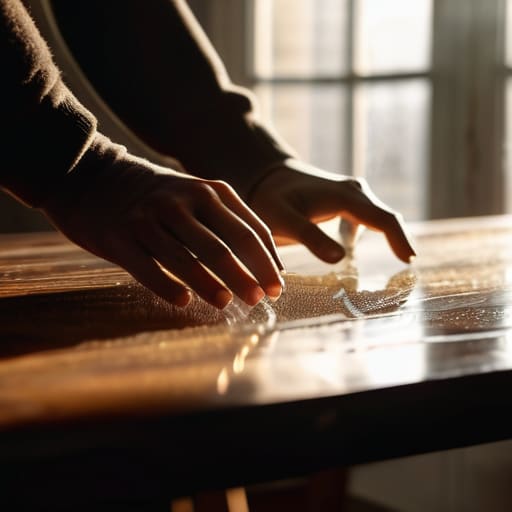
If you’re standing on set, don’t just think about the “hero” shot; think about the person sitting in the edit suite six weeks from now. Real visual storytelling through montage starts with how you cover your scene. I’ve seen plenty of shooters capture beautiful, isolated close-ups that look like fine art, but they’re useless because there’s no connective tissue. You need to shoot for the rhythm of the cut. This means getting the “in-between” shots—the hands moving a glass, the eyes shifting, the way the light hits a chair—that allow you to bridge the gap between your main beats.
When you’re actually looking at the timeline, stop obsessing over fancy transitions and start looking at juxtaposition in film. It’s the simplest tool we have: show Shot A, then Shot B, and let the audience’s brain do the heavy lifting of creating the meaning. You don’t need a Hollywood budget to master the Kuleshov effect; you just need to understand that the order of your images dictates the emotion. If the sequence feels sluggish, don’t reach for a new plugin. Usually, you just need to trim the fat and trust that the audience is smart enough to follow the story.
Common Mistakes to Avoid

The biggest mistake I see is people treating a montage like a glorified slideshow. They think they can just throw a handful of “pretty” shots together and call it visual storytelling through montage. It’s not. If your shots don’t have a logical or emotional thread connecting them, you aren’t telling a story; you’re just showing off your B-roll. You have to respect the idea of juxtaposition in film—the way one image changes the meaning of the next. If the second shot doesn’t react to the first, the audience is just watching a clock tick by.
Then there’s the technical trap: ignoring the rhythm. I’ve sat in edit suites where the cuts are so metronomic they feel like a heartbeat on caffeine. They’re hitting every beat of the music, sure, but they’ve lost the soul of the scene. Real rhythmic editing in cinema isn’t about cutting on the snare drum; it’s about knowing when to let a shot breathe and when to pull the rug out from under the viewer. If you’re just cutting because the song told you to, you’ve already lost the room.
Final Thoughts
At the end of the day, don’t get lost in the technicalities of the software or the specs of your workstation. You can have the fastest processor in the world, but it won’t teach you how to feel a beat. Real visual storytelling through montage happens in that silent space between two shots—the moment where the audience’s brain connects a character’s expression to an object, or a sound to a sudden movement. It’s about understanding that the meaning isn’t in the footage itself, but in the relationship between the pieces you’ve chosen to put together.
If you find yourself struggling, stop looking at the timeline and start looking at your coverage. Go back to the light and the blocking. If the rhythm feels off, it’s rarely because of a bad transition; it’s usually because you didn’t give yourself enough options in the edit suite. Master the basics of juxtaposition in film—how one image reacts to another—and you’ll find that the “magic” starts to happen naturally. Everything else is just gear and guesswork.
Five ways to stop making montages that feel like slideshows
- Shoot for the cut, not the shot. I see too many kids coming out of film school with beautiful, isolated compositions that have no business being next to each other. If you’re building a montage, every frame needs to be a bridge. You need enough coverage—the hands, the eyes, the wide context—so that when you’re sitting in a dark room at 2 AM trying to make the rhythm work, you actually have the pieces to build it.
- Respect the eyeline. It’s the simplest thing, and yet people ignore it. If your montage is meant to show a character’s progression or a sequence of events, the direction of their gaze dictates the flow. If the eyes are jumping all over the place without a logic to the movement, the audience won’t feel the story; they’ll just feel dizzy.
- Let the light tell the time. A montage is often used to compress time, but you don’t need a clock on screen to do that. You do it with the quality of light. Moving from the hard, high-contrast shadows of midday to the soft, long-reaching warmth of golden hour tells the viewer everything they need to know about the passage of time without a single line of dialogue.
- Don’t let the music do all the heavy lifting. I’ve seen montages where the editor just slapped a track on top and hoped for the best. That’s not filmmaking; that’s a music video for a client who didn’t pay enough. The rhythm should come from the visual pacing—the way a cut lands on a movement or a change in focus—with the music acting as the glue, not the driver.
- Avoid the “travelogue” trap. Just because you can show a character walking through five different locations doesn’t mean you should. A montage should move the narrative forward or reveal an internal shift. If you’re just showing “stuff happening” to fill a gap in the runtime, you’re wasting the audience’s time and your own footage. Pick the shots that actually say something.
The Bottom Line
Stop thinking about montage as a fancy way to skip time and start thinking about it as a way to manage rhythm; if your coverage doesn’t have the right energy, no amount of fast cutting will save it.
Gear won’t fix a montage that lacks logic; you need to shoot with the edit in mind, ensuring you have the necessary close-ups and reaction shots to bridge the gaps you’re creating.
Patience is your most valuable tool—the best montages aren’t built in the edit suite alone, but in the way you plan the visual progression long before you ever hit the record button.
The Myth of the Seamless Cut
People think a montage is something you do in the edit suite, but a real montage starts on set. It’s not about the fancy transitions or the music swell; it’s about how you covered the scene so that when you finally sit down to cut, the rhythm is already baked into the footage. If you haven’t shot the right coverage to bridge the gaps in time, no amount of software is going to save you.
Gethin Moreau
The Long View
At the end of the day, montage isn’t some magic trick you perform in an edit suite with a handful of flashy transitions; it’s the result of how you handled the light, the blocking, and the coverage on set. If you didn’t give yourself the spatial information or the rhythmic variety while you were shooting, no amount of clever cutting is going to fix a hollow sequence. You have to understand that the rhythm of a montage is built on intentionality, from the moment you decide where to place the camera to the second you decide which frame to cut on. It’s about having the discipline to capture the small, connective details that allow the audience to bridge the gaps in time and space without feeling like they’ve been jerked around.
Stop looking for a software plugin or a more expensive sensor to give your work a sense of momentum. The most profound montages I’ve ever seen weren’t born from technical perfection, but from a deep understanding of patience and human connection. If you focus on the soul of the scene and how those images relate to one another, the edit will follow. Put down the gear specs for a moment, look at your footage, and ask yourself if the story is actually moving, or if you’re just showing a collection of pretty pictures. That is where the real work begins.
