I remember standing in a damp warehouse in East London, staring at a brand-new sensor that promised the world, only to realize three hours into a shoot that the autofocus couldn’t find a subject in a well-lit room, let alone a moody interior. We spent more time fighting the menu settings than we did shaping the light, and by the time we actually rolled, the sun had moved and the window of opportunity was gone. Most people think testing gear is about reading a manual or watching a YouTuber unbox a shiny new toy, but if you want to know how to test new gear before a job, you need to stop looking at the spec sheet and start looking at the failure points.
I’m not here to tell you which camera has the most megapixels or which lens has the prettiest bokeh; that’s marketing, not filmmaking. Instead, I’m going to show you how to stress-test your kit against the three things that actually matter: unpredictable light, physical distance, and the reality of the edit. We’ll talk about breaking your gear in your own space so that when you’re staring down a ticking clock on a client’s dime, the only thing you have to worry about is the story.
Understanding How to Test New Gear Before a Job
Most people think testing gear means checking if the power button works or if the sensor is clean. That’s not testing; that’s just making sure you haven’t bought a paperweight. Real field testing new tools requires you to recreate the friction of a working set. I don’t care if the camera records in 8K if the menu system is so sluggish you can’t find the ISO settings while a client is breathing down your neck. You need to push the kit into the corners—test the battery life when you’re running heavy wireless video, or see how the autofocus behaves when you’re shooting through a window or in low light.
You aren’t just looking for perfection; you’re looking for the breaking point. I treat my gear readiness protocol as a way to find the uncomfortable truths about a piece of kit before the clock is running. If a new lens feels heavy or the mounting plate feels slightly off-balance, that’s a problem you’ll feel at hour ten of a long shoot. A proper pre-job equipment inspection isn’t about confirming what the manual says; it’s about discovering what the manual left out.
Key Things to Know
First, stop looking at the sensor resolution and start looking at the power draw. I’ve seen more shoots derailed by a proprietary battery that dies forty minutes into a long interview than by a lack of 8K capability. When you’re conducting a pre-job equipment inspection, don’t just check if the camera turns on; check if it stays on when the temperature drops or when you’re pushing the bit rate. You need to know exactly how much runtime you have before you’re standing in a dark room praying for a miracle.
Second, test the workflow, not just the hardware. It’s one thing to record a beautiful clip in your living room; it’s another to see if that specific codec plays nice with your editing software or if it chokes your drive during a transfer. I treat field testing new tools as a stress test for my entire pipeline. If the data doesn’t move smoothly from the card to the timeline, that gear isn’t ready for a client, no matter how much it cost. You aren’t just buying a camera; you’re buying a set of potential headaches.
Practical Tips and Steps
First, stop testing in your living room with the overhead lights on. You aren’t learning anything by seeing how a sensor handles a perfectly balanced, static environment. You need to find a room with a window that moves or a single, harsh practical lamp. I make it a point to run a pre-job equipment inspection that focuses on the edges of the frame and the way the sensor reacts to sudden shifts in exposure. If you aren’t pushing the dynamic range or testing how the autofocus hunts in low light, you’re just playing with a toy, not prepping for a production.
Once you’ve found the light, start simulating the actual workflow. Don’t just record a clip; record a sequence, move the camera, and change the settings mid-roll. This is where you build a personal gear readiness protocol that actually matters. I want to see if the media cards seat properly when I’m moving quickly or if the battery plate wobbles when the tripod is bumped. If you can’t find a way to break it in your own time, it’ll find a way to fail you when the client is staring at the monitor.
Common Mistakes to Avoid
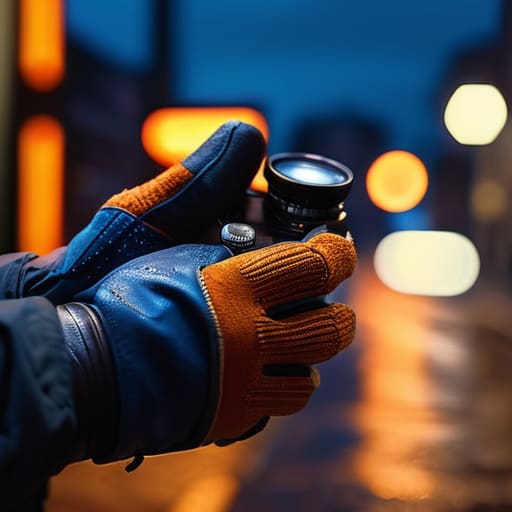
The biggest mistake I see is the “studio test.” People take a new sensor or a fresh lens into a controlled environment with perfect, three-point lighting, and they convince themselves they’ve mastered it. That’s a lie. A studio test doesn’t tell you how the autofocus hunts when you’re shooting through a window at dusk, or how the menu system feels when your hands are cold and you’re trying to change a setting in ten seconds. You need to spend time field testing new tools in the kind of messy, unpredictable light that actually defines a shoot. If you aren’t pushing the dynamic range until it breaks, you aren’t actually testing it.
Then there’s the temptation to skip the boring stuff. I’ve seen shooters obsess over the sharpness of a new prime while completely ignoring their gear readiness protocol. They check the image, but they don’t check the battery life under heavy load or how the media handles high bitrates when the temperature climbs. Skipping a proper pre-job equipment inspection of your cables, cards, and power sources is just an expensive way to ensure you’ll be staring at a black screen when the client is looking at you. Don’t let a $50 cable be the reason a $50,000 shoot falls apart.
Final Thoughts
At the end of the day, a piece of gear is just a box of glass and silicon until you’ve pushed it against a real problem. You can read every spec sheet and watch every YouTube review, but none of that replaces the quiet confidence that comes from a proper pre-job equipment inspection. I’ve seen too many young operators walk onto a set with a brand-new sensor, thinking the tech will compensate for a lack of preparation, only to realize halfway through a sunset shot that their media format or wireless link behaves differently under pressure.
Don’t treat your testing as a chore to be checked off; treat it as your insurance policy. Developing a personal gear readiness protocol isn’t about being obsessive—it’s about minimizing technical malfunctions when the client is watching and the sun is moving. If you’ve put in the work to stress-test your kit in a controlled environment, you won’t be scrambling to fix a firmware glitch while the director is breathing down your neck. Build the habit now, so when the real work starts, you can actually focus on the light.
Five ways to stop trusting the brochure and start trusting your eyes
- Stop testing in your living room. You aren’t going to be shooting a corporate interview in a perfectly lit lounge with soft, indirect sunlight. Find a room with a single, nasty window or a single overhead bulb that flickers, and see how the sensor actually handles the skin tones when the light is fighting you.
- Shoot for the edit, not the still. It’s easy to take a pretty, static frame that looks great on a monitor, but you need to see how the gear behaves when you’re actually moving. Test the autofocus if it’s supposed to be smart, or better yet, practice your manual pulls to see if the lens breathing is going to make your editor want to throw a wrench at you.
- Check the color science against what you actually use. Every manufacturer claims their “color science” is revolutionary, but if you’re a person who works in a specific color space or uses a particular LUT workflow, you need to see if the footage actually plays nice with your existing assets. If it looks like plastic in post, no amount of resolution will save you.
- Don’t forget the audio and the physical weight. If you’re testing a new rig, I don’t care how many megapixels it has if the build quality makes it a nightmare to balance on a tripod or if the internal preamps sound like a tin can. If it’s heavy, find out how your wrists feel after an hour of “testing” before you’re halfway through a twelve-hour day.
- Push the dynamic range until it breaks. Don’t just shoot in the middle of the exposure curve where everything looks safe. Put something in the deep shadows and something in the highlights—a bright window or a lamp—and see what the sensor actually recovers. You need to know exactly where the clipping happens so you aren’t guessing when the clock is ticking on set.
The Bottom Line
Stop looking at the sensor specs and start looking at the light; a new camera won’t fix a setup that lacks depth or a motivated source.
Test for the edit, not just the frame—if you haven’t seen how the footage behaves in a timeline or how the colors hold up under a grade, you haven’t actually tested the gear.
Reliability beats features every single time; I’d rather have a kit I know the quirks of than a high-spec rig that fails me when the sun starts moving.
## The False Security of the Spec Sheet
A new sensor might promise more dynamic range, but it won’t tell you how the color science reacts to a practical light source in a cramped room, and it certainly won’t help you when the files are too heavy for your drive to breathe. Don’t just read the brochure; take the kit into a room with difficult light, push it until it breaks, and see if you’re actually filming a story or just managing a technical crisis.
Gethin Moreau
The Reality of the Kit
At the end of the day, testing your gear isn’t about checking if the buttons work—you’ll figure that out when the client is staring at you. It’s about knowing how that specific sensor handles a practical light in a dark corner, how the weight of a new rig shifts your center of gravity during a long day, and whether the files actually behave when you throw them into an edit. If you haven’t pushed the gear to its breaking point in a controlled environment, you haven’t actually tested it. You’ve just read a manual. Don’t let the first time you encounter a limitation be when the sun is setting and the clock is ticking.
I’ve seen plenty of shooters walk onto a set with a brand-new, six-figure camera setup and still produce work that looks flat, lifeless, and amateur. They thought the gear would do the heavy lifting for them. But remember: the camera is just a box that records what you’ve already decided. A new lens might give you a sharper edge, but it won’t give you an eye for composition or an understanding of how light falls across a face. Invest your time in the discipline of the test, not just the acquisition of the tool. The best gear in the world is useless if you don’t know exactly how it will fail you before the cameras start rolling.
