I spent three weeks on a documentary in the Highlands once, working with a lighting kit that weighed more than the crew, only to realize the sun had done 90% of the heavy lifting for free. Nowadays, when I see people searching for a complete guide to live streaming, they aren’t looking for advice on how to tell a story; they’re looking for a shopping list of expensive sensors and high-bitrate encoders. They think that if they just spend another thousand dollars on a mirrorless body, their stream will suddenly look like a Netflix special. It won’t. Most of that money is just noise that fails to fix a poorly lit room or a messy background.
I’m not here to sell you a dream or a gear list that’ll leave your bank account empty. What I’m offering is a way to look at your setup through the eyes of someone who’s had to make magic happen when the budget was zero. We’re going to talk about where you place your key light, how you manage your distance from the lens, and how to build a workflow that actually works when you’re live. This isn’t about having the best gear; it’s about having the best intent.
Understanding Complete Guide to Live Streaming
Before you start clicking “buy” on a high-end mirrorless setup, you need to understand that a stream isn’t just a video file being sent into the void; it’s a delicate balance of data and timing. Most people treat it like a recording, but a recording doesn’t care if the frame drops or the audio desyncs. In a live environment, you are fighting the clock. This means your live streaming hardware setup needs to be more than just a collection of expensive glass and sensors; it needs to be a stable, predictable chain of signal. If your computer is sweating just to render the preview, your viewers are going to see a slideshow, not a broadcast.
You also have to respect the math of your connection. I’ve seen guys with cinema cameras trying to push massive files over a connection that couldn’t handle a basic FaceTime call. You need to know your internet upload speed requirements before you even think about touching your encoder settings. If you don’t find the sweet spot for bitrate optimization for streaming, you’ll end up with a crisp image that constantly stutters, which is far more frustrating to watch than a slightly softer, consistent picture. It’s about stability, not just resolution.
Key Things to Know
Before you start clicking “add to cart,” you need to realize that a stream isn’t a movie; it’s a conversation happening in real-time. The biggest mistake I see is people obsessing over a 4K sensor while their connection is choking on a basic upload. You can have the most expensive live streaming hardware setup in the world, but if you haven’t mastered your internet upload speed requirements, you’re just broadcasting a very expensive slideshow. It’s about stability, not just resolution.
Once you’ve got a decent signal, the battle moves to the software and how you manage the data. You’ll find yourself stuck in a never-ending streaming software comparison, trying to figure out which interface feels right, but don’t get lost in the menus. The real work happens in the settings—specifically, finding that sweet spot for bitrate optimization for streaming. If your bitrate is too high for your bandwidth, you get artifacts; too low, and the image turns into a muddy mess. It’s a balancing act of math and patience, not a matter of having the latest plugin.
Practical Tips and Steps
Before you even touch a single slider in your software, look at your room. Most people think a “pro” look comes from a high-end sensor, but it actually comes from where you place your key light. If you’re sitting in a dark room with a single, harsh light hitting your face from the front, you’ll look like a witness in a crime documentary. Soften that light, move it forty-five degrees to the side, and you’ve done more for your image than a thousand-dollar upgrade ever could. Once the light is sorted, you can worry about your live streaming hardware setup, but don’t let the gear distract you from the fact that bad lighting is impossible to fix in post.
When you finally sit down to actually go live, stop obsessing over the fanciest settings and start looking at your stability. I’ve seen guys try to push massive bitrates on a connection that couldn’t handle it, resulting in a stuttering mess. You need to understand your internet upload speed requirements before you even attempt a high-definition broadcast. If your connection is shaky, it’s better to have a clean, stable 720p stream than a 4K disaster that keeps dropping frames. It’s about consistency over spectacle, every single time.
Common Mistakes to Avoid
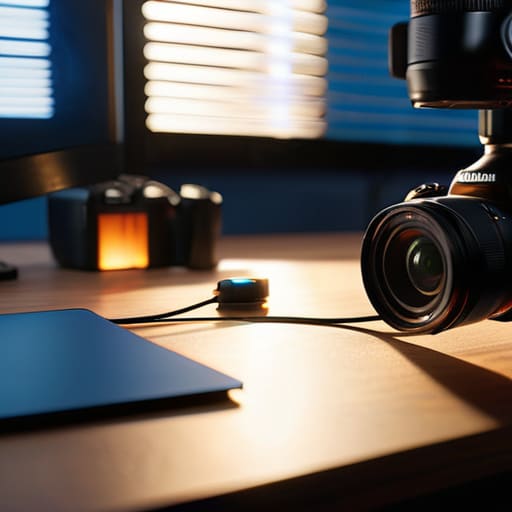
The biggest mistake I see is people treating a stream like a high-end film set when they haven’t even mastered the basics of their environment. They spend three months’ rent on a cinema camera but forget that a sensor is useless if the room is lit by a single, harsh overhead bulb. You can have the most expensive live streaming hardware setup in the world, but if your subject is a silhouette against a bright window, your audience is going to tune out. Don’t chase resolution at the expense of intentional lighting; a well-placed key light does more for your image than a 4K sensor ever will.
Then there’s the technical hubris. I’ve watched beginners push their settings to the absolute limit, ignoring their actual internet upload speed requirements, only to watch their broadcast turn into a pixelated, stuttering mess. They think higher numbers equal better quality, but they’re actually just choking their connection. Stop obsessing over the theoretical maximums and focus on bitrate optimization for streaming that actually matches what your network can handle. Stability isn’t a luxury; it’s the foundation. If the stream drops, the gear doesn’t matter.
Final Thoughts
At the end of the day, you can spend six months obsessing over a streaming software comparison or waiting for that one specific camera to go on sale, but it won’t save a broadcast that’s poorly lit or poorly planned. I’ve seen people with massive budgets produce something that looks like it was shot through a wet paper bag because they ignored their internet upload speed requirements and pushed a bitrate their connection couldn’t handle. Technology is just a tool; it’s the way you manage the space and the signal that keeps people from clicking away.
Don’t let the gear hunt become a distraction from the actual work. If you get your live streaming hardware setup to a point where it’s reliable and your lighting is consistent, you’ve already beaten half the people currently online. Stop looking for the magic sensor and start looking at your environment. Once you understand how to balance your technical constraints with what you actually want to show the audience, the rest is just fine-tuning. Keep it simple, keep it stable, and just keep rolling.
Five things that actually matter when the red light goes on
- Stop obsessing over the sensor and start looking at the windows. I’ve seen guys with $5,000 mirrorless setups looking like they’re filming in a basement because they’re sitting directly under a harsh overhead fluorescent. If you can’t control the light, you aren’t streaming; you’re just surviving. Get a softbox or find a lamp with a shade, and move it until the shadows on your face don’t look like a crime scene.
- Audio is the only thing the audience won’t forgive. They’ll sit through a grainy, low-bitrate image if the story is good, but the second your audio starts clipping or sounds like you’re talking through a wet wool blanket, they’re gone. Don’t rely on the built-in mic on your camera or your laptop. Get a dedicated source close to your mouth, and for God’s sake, check your levels before you go live.
- Stability is a choice, not a luxury. If you’re handheld and you haven’t mastered the “ninja walk,” your viewers are going to get motion sickness within three minutes. If you aren’t using a tripod or a heavy-duty desk mount, you’re asking for trouble. A steady frame suggests professional intent; a shaky one suggests you’re filming a hostage video.
- Plan your coverage like you’re shooting a scene, not a webcam feed. Even in a single-cam stream, think about your depth. Don’t pin yourself against a white wall like you’re in a mugshot. Pull the desk away from the wall, create some distance between you and the background, and let the light fall off naturally. That bit of depth is what makes a stream feel like a production rather than a Zoom call.
- Test your upload, not just your download. You can have a fiber connection that downloads movies in seconds, but if your upload speed is choking, your stream will stutter and die. Run a test stream to a private account first. If the frame rate drops, it’s rarely the camera’s fault—it’s usually your bitrate being too ambitious for your connection. Lower the settings until it’s smooth; a clean 720p is better than a broken 4K.
The Bottom Line
Stop looking for a magic sensor to fix a bad room; if you can’t control where your light is coming from, the most expensive camera in the world will just give you a high-resolution image of a mess.
Coverage matters more than specs, so plan your angles and your distance with the edit in mind, rather than just pointing a lens at a subject and hoping for the best.
Build your setup around stability and reliability, because a frame that’s well-lit and steady beats a flashy, high-bitrate stream that crashes or looks like a jittery mess every ten minutes.
The Sensor Trap
You can buy the most expensive 4K sensor on the market, but if you’re streaming from a dark room with a single, harsh overhead bulb, you aren’t making cinema; you’re just making expensive noise. A real guide to streaming isn’t about the bitrate or the camera model—it’s about understanding how to shape the light so the viewer actually wants to look at you.
Gethin Moreau
The Long View
At the end of the day, a successful stream isn’t built on a spreadsheet of high-end specs or the latest bitrates. It’s built on the fundamentals we’ve been chewing on: stable audio, consistent light that doesn’t flicker when you move, and a connection that doesn’t drop the moment things get interesting. You can own the most expensive cinema camera on the market, but if your lighting is flat and your audio sounds like you’re talking through a wet sock, nobody is going to stay tuned in. Focus on the basics—the light, the distance, and the reliability—and you’ll already be ahead of ninety percent of the people currently shouting into the void.
Don’t let the gear chase become a distraction from the actual work. I’ve spent decades watching people wait for the “perfect” setup before they finally hit record, and all they’ve done is waste time. The truth is, the most important piece of equipment in your kit is your own ability to adapt to the room and connect with whatever is on the other side of that lens. Stop worrying about whether your sensor is the latest model and just start broadcasting. You’ll learn more from one hour of a messy, imperfect live stream than you ever will from another month of reading spec sheets.
