I once sat through a three-hour technical seminar where a kid in a brand-new tech vest tried to explain how to monitor audio properly using nothing but a list of $2,000 studio monitors and a proprietary software suite. It was all specs and frequency responses, none of it about the actual sound of a voice in a room. I remember looking at the waveform on the monitor, seeing a perfectly clean line, and then realizing the talent’s dialogue was being swallowed by the hum of a refrigerator three rooms away. You can have the most expensive signal chain in the world, but if you aren’t actually listening to the space between the words, you’re just recording expensive silence.
I’m not here to sell you a new pair of headphones or a digital interface that promises “transparency.” My goal is to show you that real monitoring is about training your ears to hear the problems before they become permanent. We’re going to talk about the practical reality of checking levels, spotting interference, and understanding what your gear is actually telling you. This isn’t about chasing the perfect spec sheet; it’s about knowing when a take is actually usable before you pack up and move to the next location.
The Distance Between a Good Take and a Wasted One
I’ve spent enough years on sets to know that a visual masterpiece can be rendered completely unwatchable by a single, persistent hum or a clipping vocal that nobody caught in the moment. You can have the most expensive sensor in the world, but if your audio signal chain integrity is compromised, you aren’t making a film; you’re making a slideshow with noise. I’ve sat in edit suites where the director thought they had a “hero shot,” only to realize three days later that the wind hit the lavalier at the exact moment the actor delivered the line. That isn’t a post-production problem; it’s a failure of real-time awareness.
The mistake I see most often isn’t a lack of gear, but a lack of critical listening. People rely on whatever earbuds they have in their pockets, forgetting that accurate frequency response is the only way to know if your dialogue is actually sitting in the mix or getting buried by a low-end rumble. If you aren’t checking your levels with a sense of skepticism, you’re just hoping for the best. And hope is not a technical strategy.
Why How to Monitor Audio Properly Starts With Signal Chain Integrity
You can have the most expensive pair of monitors in the world, but if the path the sound takes to get to your ears is broken, you’re just listening to a very expensive lie. I’ve seen it a dozen times: a crew spends a fortune on a high-end recorder, only to realize they’ve been running a cheap, unshielded cable through a forest of power lines. When you ignore audio signal chain integrity, you aren’t monitoring the performance; you’re monitoring the interference. You might think you’re hearing a crisp dialogue track, but you’re actually hearing the electrical hum of a nearby generator that your gear was too lazy to filter out.
It’s the same logic as a dirty lens on a camera. You can try to fix the grain in post, but you’d have been better off cleaning the glass. If your signal is compromised by bad connectors or poor gain staging, no amount of studio monitor calibration will save you. You need to ensure the path from the microphone to your ears is as clean as possible before you even think about adjusting a fader.
The Myth of the Perfect Room and Nearfield vs Farfield Monitoring
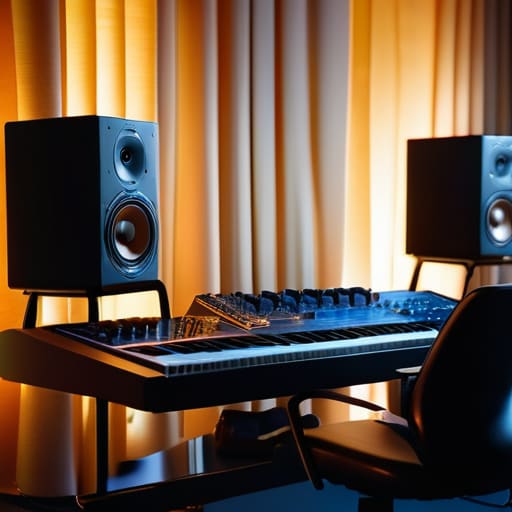
I’ve spent enough time in makeshift edit suites to know that people spend thousands trying to “fix” a room that was never meant to be fixed. You can buy the most expensive monitors on the market, but if you’re sitting in a corner with bare drywall and a pile of gear behind you, you aren’t hearing the truth. You’re hearing the room. Most beginners fall into the trap of thinking an accurate frequency response is something you buy; in reality, it’s something you fight for against your own environment.
This is where the debate of nearfield vs farfield monitoring actually matters. In a perfect world, you’d have a tuned room and massive speakers, but most of us are working in bedrooms or cramped offices. I’ve always leaned toward nearfield setups—getting the speakers close enough so the direct sound reaches your ears before the reflections from the walls can mess everything up. It’s not about having the loudest setup; it’s about minimizing the lies your room tells you. If you can’t trust the air around your speakers, you’re just guessing.
Chasing an Accurate Frequency Response Through Studio Monitor Calibration
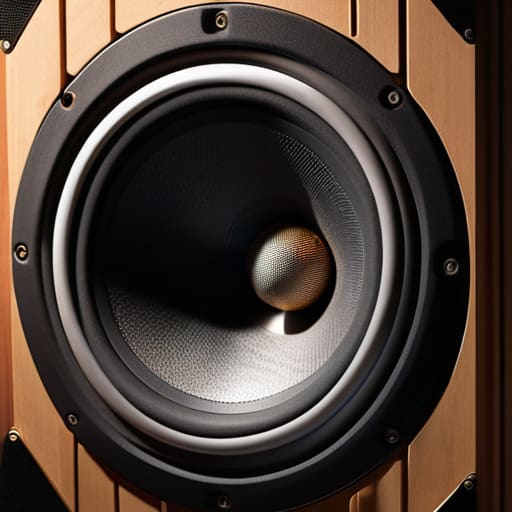
You can spend twenty grand on a pair of monitors, but if they’re sitting in a corner or pushed too close to a wall, they aren’t telling you the truth. They’re lying to you. Most people think an accurate frequency response is something you buy, when really, it’s something you fight for in the room. If your low end is blooming because of a corner build-up, you’ll overcompensate in the mix, and by the time that audio hits a client’s car or a smartphone, it’ll sound like a thin, tinny mess.
That’s where studio monitor calibration comes in. It isn’t about making things sound “pretty”—it’s about making them sound honest. Using measurement software to flatten out the peaks and dips caused by your room’s geometry isn’t a luxury; it’s a necessity if you want to stop guessing. I’ve seen plenty of young editors try to fix a muddy mix by turning down the bass on their interface, not realizing their room was just lying to them. You have to trust the measurement, even when your ears want to disagree.
Headphone Equalization for Mixing a Tool Not a Crutch
I’ve seen plenty of editors sitting in dark rooms, eyes glued to a waveform, trying to fix a muddy dialogue track using nothing but a pair of consumer-grade cans and a software plugin that promises to make them sound like a million dollars. They think headphone equalization for mixing is a shortcut to a professional sound, but they’re often just masking the symptoms rather than curing the disease. If you’re using an EQ curve to force your headphones to mimic a flat response, you aren’t mastering the audio; you’re just building a house on a foundation of sand.
The danger here is that you start making decisions based on a corrected reality that doesn’t actually exist in the physical world. You might think you’ve achieved an accurate frequency response, but you’re really just training your brain to accept a lie. This is how you end up with a mix that sounds incredible in your ears but falls apart the moment it hits a car stereo or a smartphone speaker. Use these tools to get a sense of the balance, sure, but never let them become a crutch that prevents you from actually learning how to hear the truth of the signal.
Preventing Ear Fatigue While Respecting Monitoring Loudness Standards
There is a specific kind of madness that sets in around hour six of a mix, where everything sounds too loud, too bright, or just plain wrong. You start chasing ghosts in the high end because your ears are too tired to distinguish between a genuine sibilance issue and the sheer physical exhaustion of your auditory system. This is where most people fail; they think they’re making critical decisions, but they’re actually just reacting to sensory overload.
The trick isn’t to push through the haze. You need to respect monitoring loudness standards—not because a manual told you to, but because your brain needs a consistent, manageable baseline to function. If you’re constantly cranking the volume to “feel” the impact, you’ve already lost the battle. I’ve seen better mixes come out of a session done at conversational levels than one fueled by a caffeine addiction and a desire to blow the windows out. Preventing ear fatigue means learning to work at a level where you can still hear the room around you. If you can’t hear the air in the recording, you’re likely pushing too hard.
Five ways to stop trusting your ears blindly
- Stop mixing in the dark. I’m not talking about the lights, though that helps with focus; I’m talking about the lack of visual context. If you can’t see the waveform or the meter while you’re listening, you’re guessing. You need to see the signal hit the ceiling so you know exactly how much headroom you actually have left.
- Use your eyes to verify what your ears are lying to you about. If the track sounds heavy in the low end, look at the spectrum analyzer. If the analyzer says it’s flat but your ears say it’s booming, your room is lying to you, or your ears are tired. Trust the math when the room gets tricky.
- Check your work in the worst possible environment. I’ve seen guys spend three days perfecting a mix on $3,000 monitors only to have it fall apart the second it hits a smartphone speaker. Before you call it finished, listen to it through a cheap pair of earbuds or a laptop speaker. If the dialogue disappears there, you haven’t fixed the problem yet.
- Learn the difference between a level problem and a balance problem. Most beginners try to fix a muddy mix by cranking the volume or adding more EQ. Usually, you just need to turn the offending element down. Monitoring is about finding the space between sounds, not just making everything louder.
- Respect the silence between the notes. We spend so much time obsessing over the “hit” that we forget to monitor the noise floor during the pauses. If you can hear the hum of a fridge or the hiss of a cheap preamp in the quiet moments, no amount of mastering is going to make that a professional take.
The bottom line
Stop looking for a magic piece of gear to fix a bad signal; if your cables are cheap and your gain staging is a mess, even the best studio monitors in the world will just give you a high-fidelity version of garbage.
Calibration and EQ are tools to help you understand your environment, not a way to lie to yourself about what you’re actually hearing.
Protect your ears like you protect your sensor; if you’re mixing so loud that you’re hitting fatigue by lunch, you’ve already lost the ability to make an honest decision.
The trap of the expensive speaker
You can drop ten grand on a pair of monitors that claim to be mathematically perfect, but if you’re just using them to confirm that your mix sounds “expensive” rather than listening for the subtle grit of a poorly placed mic or the hollow ring of a bad room, you aren’t monitoring—you’re just window shopping.
Gethin Moreau
The long game of listening
At the end of the day, you can spend your entire budget on calibrated studio monitors and high-end reference headphones, but they won’t do the work for you. We’ve covered the necessity of a clean signal chain, the reality of your room’s acoustics, and the discipline required to manage ear fatigue without losing your edge. If you aren’t checking your levels against the physical reality of the source, and if you aren’t treating your ears with the same respect you give your sensors, you’re just spinning your wheels. Monitoring isn’t a luxury or a technical checkbox; it is the fundamental bridge between the sound you captured in the field and the story you intend to tell in the edit. Don’t let a bad monitoring habit turn a great performance into a technical failure.
I’ve sat in edit suites where the speakers were worth more than my first car, and I’ve sat in vans with a single pair of battered cans, listening to a scratch track. The difference between a professional and an amateur isn’t the gear they own, but the criticality of their hearing. You have to learn to trust your ears more than your meters and your environment more than your presets. Stop looking for the magic plugin or the perfect frequency response to save you. Instead, focus on the discipline of listening. If you can master the art of hearing what is actually there—rather than what you want to hear—you’ll find that the gear eventually stops being an excuse and starts being a tool.
