I spent a decade watching editors try to fix broken continuity with digital wipes and flashy zooms, as if a bit of motion blur could mask the fact that the two shots didn’t belong in the same universe. It’s a common trap: you realize the coverage is thin or the pacing is dragging, so you reach for a plugin to bridge the gap. But let’s be honest about how transitions should be used—most of the time, they are just a way to hide a lack of patience in the edit or a lack of thought in the shoot. If you can’t connect two moments through the logic of the light or the direction of the movement, a fancy dissolve isn’t going to save you; it’s just going to draw attention to the mistake.
I’m not here to sell you a pack of overpriced presets or tell you that a whip-pan is a substitute for good blocking. What I want to do is strip the nonsense away and talk about the structural necessity of a cut. I’ll show you how to use timing, match cuts, and simple hard edges to move a story forward without making the audience feel like they’re watching a music video from 2005.
The Lie of the Flashy Effect How Transitions Should Be Used
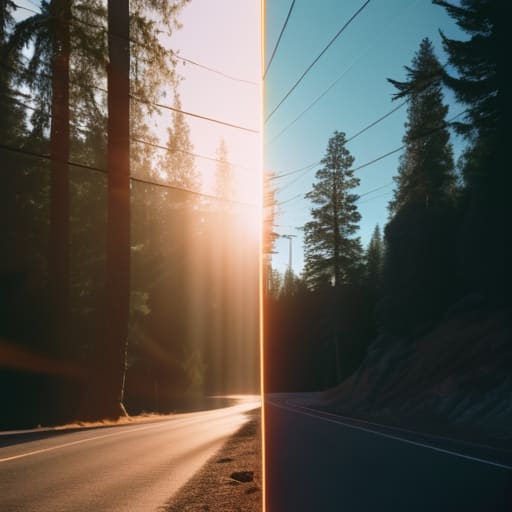
We’ve entered an era where people treat transitions like digital seasoning, throwing a whip-pan or a light leak over every single cut as if it’ll somehow make the footage more professional. It’s a lie. A flashy effect doesn’t fix a poorly composed shot or a lack of intention; it just screams that you didn’t know how to bridge the gap. If you’re relying on a digital zoom to move from a wide to a close-up, you’ve already lost the battle. Real visual storytelling techniques rely on the eye following a line of action or a change in light, not a spinning blur that resets the viewer’s brain every five seconds.
The goal isn’t to show off what your software can do, but to manage the editing pacing and rhythm so the audience forgets they are watching a series of clips. Sometimes, the most powerful move is a simple cut on action or a well-placed match cut. If the movement in shot A carries the momentum into shot B, you don’t need a transition. You just need to be observant. Stop trying to hide your mistakes with effects and start focusing on why you’re making the cut in the first place.
Mastering the Invisible Why Video Editing Continuity Is Everything
The real job of a transition isn’t to show off; it’s to maintain the illusion that the audience is watching a continuous reality rather than a collection of clips. When you get video editing continuity right, the viewer doesn’t notice the cut at all. They just feel the movement of the scene. If you’re jumping from a wide shot to a close-up, the eye needs a reason to move there. It’s about following the line of sight or the direction of a character’s motion. If you ignore that, you aren’t “editing”—you’re just jarring the audience out of the story.
I’ve seen plenty of young editors try to fix a lack of coverage by throwing in a digital zoom or a whip-pan, but that’s just a bandage on a broken limb. If you want to actually master editing pacing and rhythm, you have to understand how the eye travels. Sometimes, the most sophisticated thing you can do is nothing. A simple cut on action is often more powerful than any software-driven effect. If the light is consistent and the eye knows where to land, the transition becomes invisible, and that’s exactly when you’ve actually done your job.
Rhythm Over Effects Finding the Soul in Editing Pacing and Rhythm
You can have the most expensive sensor in the world and the smoothest transitions money can buy, but if your timing is off, the audience will feel it in their gut. It’s like a drummer who hits every note perfectly but has no sense of swing; it sounds technical, but it doesn’t move anyone. I’ve sat in edit suites where a director wanted to add more “flair,” only to realize that the scene actually needed more room to breathe. Real editing pacing and rhythm isn’t about how fast you can cut; it’s about understanding the heartbeat of the performance and knowing when to let a moment land before you move the camera elsewhere.
Sometimes, the most effective way to move a story forward is to lean into the friction. People get terrified of when to use jump cuts, treating them like a mistake that needs to be polished away with a digital wipe. But if you’re trying to convey a sense of urgency or a character’s fractured mental state, a jarring cut can do more work than ten minutes of slow pans. It’s not about being “smooth”—it’s about being honest with the energy of the scene. If the rhythm of the cut matches the internal tension of the subject, the viewer won’t care about the technical “imperfection.”
The Purposeful Disruption Knowing Exactly When to Use Jump Cuts

Now, if you’ve been listening to me, you’ll think I’m advocating for a world where every cut is a seamless, invisible glide. I’m not. There is a time to break the rules, but you have to do it with intent rather than accident. Most people stumble into jump cuts because they didn’t get the coverage they needed or they’re trying to hide a mistake in the performance. That’s not a choice; that’s a failure of planning. When you use them poorly, you aren’t being “edgy,” you’re just breaking the viewer’s immersion for no reason.
The real trick is understanding when to use jump cuts as a tool for psychological impact. If you want to convey a sense of anxiety, a fractured memory, or the frantic, repetitive nature of a character’s descent, then you lean into the disruption. You use them to compress time or to strip away the “fluff” of a scene to get to the raw emotion. It’s about deliberate friction. You aren’t trying to achieve smooth cinematic transitions here; you are using the break in continuity to tell the audience that the world itself is no longer stable.
Geometry and Motion Achieving Smooth Cinematic Transitions Through Intent
If you’re looking for a magic trick to glue two unrelated shots together, you’re looking in the wrong place. Real transitions happen in the camera, not in the software. I’m talking about the geometry of the frame—how a line of a shoulder in a medium shot leads the eye directly into the vertical edge of a doorway in the next. When you plan your blocking with the cut in mind, you aren’t just filming scenes; you’re building a map for the viewer’s eye. This is where smooth cinematic transitions actually come from. It’s about matching the vector of movement or the direction of a gaze so the brain doesn’t have to work to find the connection.
When a character moves left to right across the frame, the next shot should ideally carry that momentum. If you break that flow without a damn good reason, you’ve just tripped your audience. I’ve seen plenty of editors try to fix a lack of direction with a digital whip-pan, but it always feels like a bandage on a broken limb. Instead, look for match cut examples in your own rushes—a circular light source, a recurring shape, or a shared sense of motion. If the geometry aligns, the transition becomes an extension of the story rather than a distraction from it.
Visual Storytelling Techniques Using Match Cut Examples to Bridge Gaps
If you want to stop relying on digital wipes and start actually directing the viewer’s eye, you need to look at the match cut. It isn’t a trick; it’s a way of using geometry to bridge two disparate moments. I’ve spent years watching editors try to force a connection with a cross-dissolve when they should have been looking at the shape of the frame. A good match cut works because it respects the visual storytelling techniques that tie a narrative together—matching the circular shape of a coffee cup to the sun setting over a horizon, or the movement of a character’s hand to a sudden shift in location.
When you nail these, you aren’t just changing scenes; you’re maintaining a sense of flow that makes the edit feel inevitable rather than accidental. This is how you achieve smooth cinematic transitions without the audience ever feeling the “bump” of the cut. Instead of wondering when to use jump cuts to signal a break in time, use a match cut to signal a connection in thought. It’s about finding the common thread in the composition so the viewer’s brain follows the line, not the seam.
Five ways to stop using transitions as a crutch
- Stop trying to “fix” a bad shot with a wipe or a dissolve. If the lighting in your wide shot doesn’t match the motivation of your close-up, or if the eyelines are fighting each other, a transition isn’t going to bridge that gap—it’s just going to draw attention to the fact that you didn’t plan the coverage.
- Let the sound do the heavy lifting. A lot of you are looking for a visual way to jump between scenes, but a well-placed J-cut or L-cut—where the audio leads the eye before the image actually changes—is worth ten flashy digital transitions. It’s how you actually move a viewer through time without hitting them over the head with it.
- Match the energy, not just the movement. If you’re cutting from a slow, contemplative wide to a fast-paced action sequence, a sudden whip-pan might feel clever for exactly three seconds before it just becomes annoying. The transition needs to respect the emotional velocity of the scene, or you’re just adding noise.
- Use the “blink” method. Sometimes the best transition is nothing at all—just a clean cut on an action or a beat of silence. If you find yourself reaching for a plugin every time you need to change scenes, you aren’t editing; you’re decorating. A clean cut is the hardest thing to master because it requires the most discipline.
- Check your light before you check your effects. If you’re using a fade to black to signal a change in time, make sure the light in the next scene actually feels like it belongs to a different hour or a different day. If the light doesn’t tell the story, the transition is just a lie.
The Bottom Line
If you’re reaching for a transition because you don’t know how to bridge two shots with light or movement, you aren’t editing—you’re decorating.
A transition should either be a bridge that the audience walks across without noticing, or a hammer that hits them exactly when the story demands it; anything in between is just noise.
Stop looking at the effect menu and start looking at your coverage; the best way to fix a jumpy edit is usually to go back to the set and shoot a better angle, not to find a fancier way to hide the mistake.
The Truth About the Cut
A transition isn’t a decoration you slap onto a sequence to make it look ‘produced’; it’s a bridge you build between two moments. If the light doesn’t carry the eye across or the movement doesn’t pull the viewer through, you aren’t editing—you’re just distracting them from a lack of coverage.
Gethin Moreau
The Bottom Line
At the end of the day, a transition isn’t a decoration; it’s a bridge. Whether you’re using a match cut to link two disparate worlds or a simple hard cut to maintain a frantic rhythm, the goal remains the same: don’t let the audience notice the seam. We’ve spent this time looking at how geometry, movement, and intentional disruption can serve the story, but the common thread is always intent. If you find yourself reaching for a digital whip-pan or a light leak effect because you don’t know how to bridge two shots, you aren’t editing—you’re just masking a lack of planning. Stop trying to fix a bad setup in the edit and start thinking about how your shots will actually meet before you even hit record.
I know the temptation. It’s easy to get lost in the software, clicking through presets and wondering which plugin will make your footage look “cinematic.” But real cinema happens in the space between the frames, in the way a character’s movement carries the eye into the next scene. Put down the flashy effects and go back to the basics of light, timing, and blocking. If you master the art of the invisible cut, you won’t need the bells and whistles to hide behind. The best transition is the one the viewer never sees, because they were too busy feeling the story.
